
Layerdock vs MarkUp.io
MarkUp.io if a single review round covers a landing page, a brand PDF and a promo video. Layerdock if the deliverable is specifically a live, interactive website and the developer needs technical context.
Layerdock
Free to start
Free forever, no card. Pro is $19/mo per workspace, with unlimited client reviewers on every plan.
MarkUp.io
from $79/mo
Pro: unlimited users, 1 workspace, 500GB storage
Install
Nothing
Layerdock reviews a live site from a link. No extension for reviewers, and a snippet only for private staging.
Free forever, no card. Clients just open the link, nothing to install.
How this comparison was made
Both sets of prices were read off each vendor’s own pricing page on , not from a directory or another roundup, which are routinely months stale.
Layerdock makes one of these two tools. The section naming where MarkUp.io is the better choice is real, not a softened weakness. If it fits your work better, buy it.
MarkUp.io vs Layerdock at a glance
| MarkUp.io | Layerdock | |
|---|---|---|
| Free plan | Trial only | Free forever, no card |
| Entry price | $79/mo | $19/mo |
| Reviewable content | 30+ file types incl. PDF, video, images | Live websites only |
| Console + network capture | No | Yes, on Agency ($59 to $69/mo) |
| Users | Unlimited | 7 on Pro, 20 on Agency |
| Workspaces / docks | 1 workspace on Pro | 5 docks Pro, unlimited Agency |
| Interactive site review | Hosted markup of a URL | Pin tool on the live page |
 Layerdock
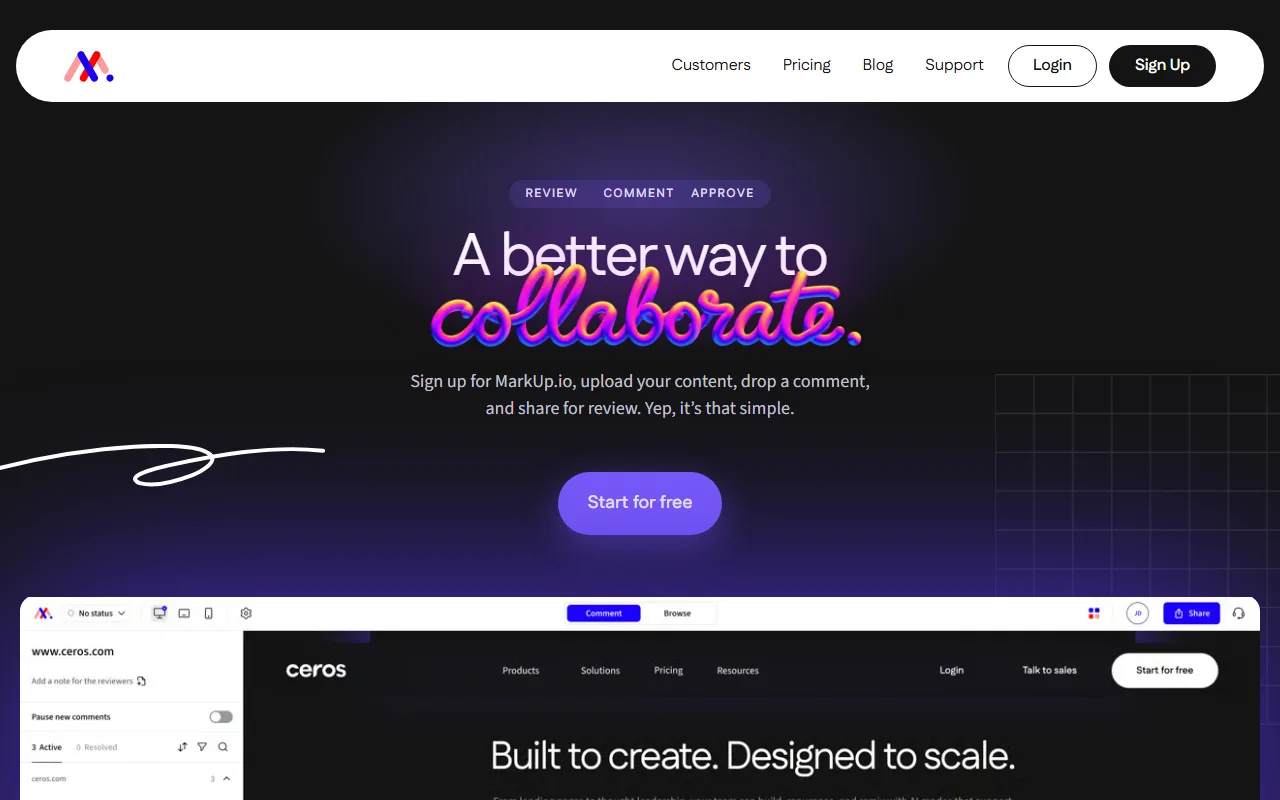
MarkUp.io and Layerdock are only partly competitors, and being clear about that is more useful than pretending otherwise. MarkUp.io is a multi-format review tool: it annotates images, PDFs, video and live URLs, over 30 file types. Layerdock reviews live, interactive websites and nothing else.
So the question is not which is better but which shape your work is. If a single review round covers a landing page, a brand PDF and a promo video, MarkUp.io handles all three and Layerdock handles one. Buying the better website tool plus a second product for the rest is usually worse than buying one tool that does everything adequately.
If the deliverable is specifically a working website, the trade runs the other way. MarkUp.io reviews a URL through its hosted surface and captures no console or network data, because that is not what it is for. Layerdock loads the live page and adds its pin tool to it (or runs from its snippet on private staging), so the reviewer drives the real site (navigation, multi-step flows, responsive breakpoints), and each pin carries the element, a screenshot, console errors and failed network requests.
On price, MarkUp.io Pro starts at $79/mo for 50 MarkUps a month ($129 for 100), with unlimited users and one workspace; Enterprise is custom. Layerdock is $19/mo Pro or $69/mo Agency ($59/mo billed yearly) per workspace. Unlimited users is the strongest line on MarkUp.io’s price sheet and the one place it clearly beats us for a large team.
When Layerdock is the better choice
- On live, interactive websites specifically, MarkUp.io captures no console or network data. It is not built for that. Layerdock records the DOM element, console errors and failed network requests on every pin.
- $19/mo against $79/mo at the entry tier, and $59 to $69/mo for the plan carrying diagnostics.
- One workspace on MarkUp.io Pro. Layerdock Agency is unlimited docks, so each client engagement gets its own review surface.
When MarkUp.io is the better choice
- By far the widest range of reviewable content. MarkUp.io annotates over 30 file types (images, PDFs, video and live URLs), where every website-specific tool here handles only the website.
- Unlimited users on the paid tier, which is unusual in this category and genuinely good value for a large creative team.
- If your review cycles routinely mix deliverables, one tool for all of them beats a better website tool plus a second product for everything else.
Try Layerdock alongside MarkUp.io
Paste your site, send one review link, and see which fits your team. The Free plan costs nothing.
Free forever, no card. Clients just open the link, nothing to install.
Everything in Layerdock, in one place
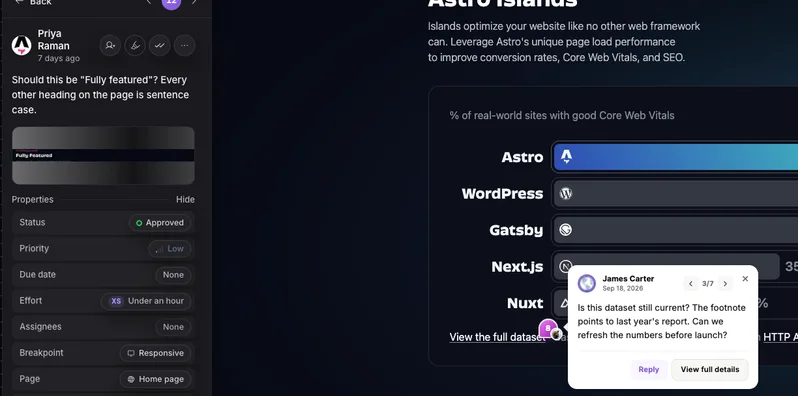
Pin it on the live page
Reviewers click any element on the real site and leave a comment. Nothing to install.
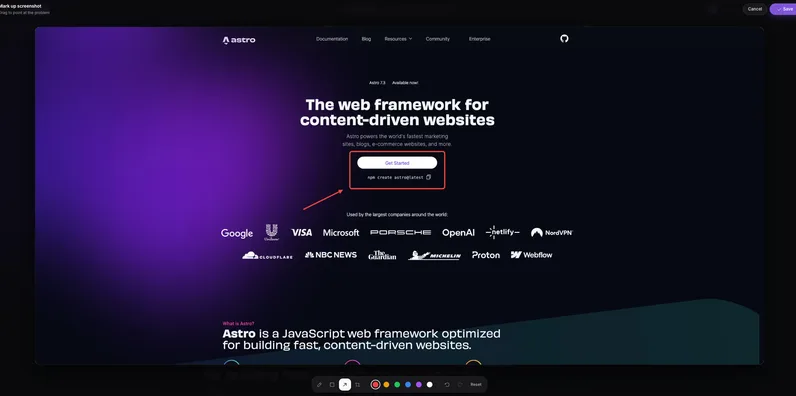
Draw and annotate
Mark up a screenshot with arrows and shapes so the change is obvious.
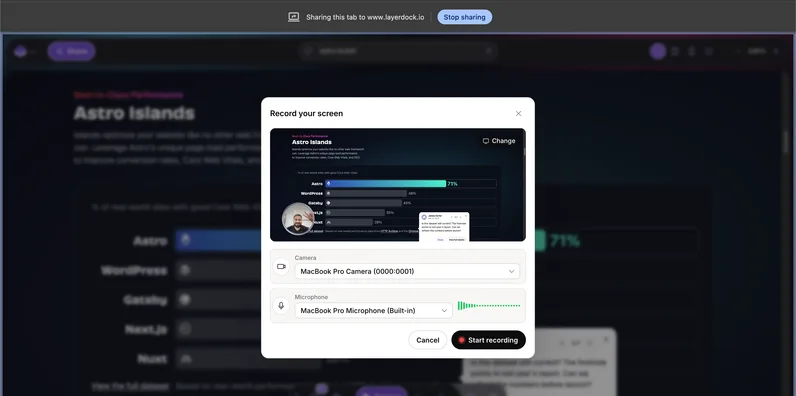
Record the problem
Screen recordings attach to the pin, so nobody has to explain it twice.

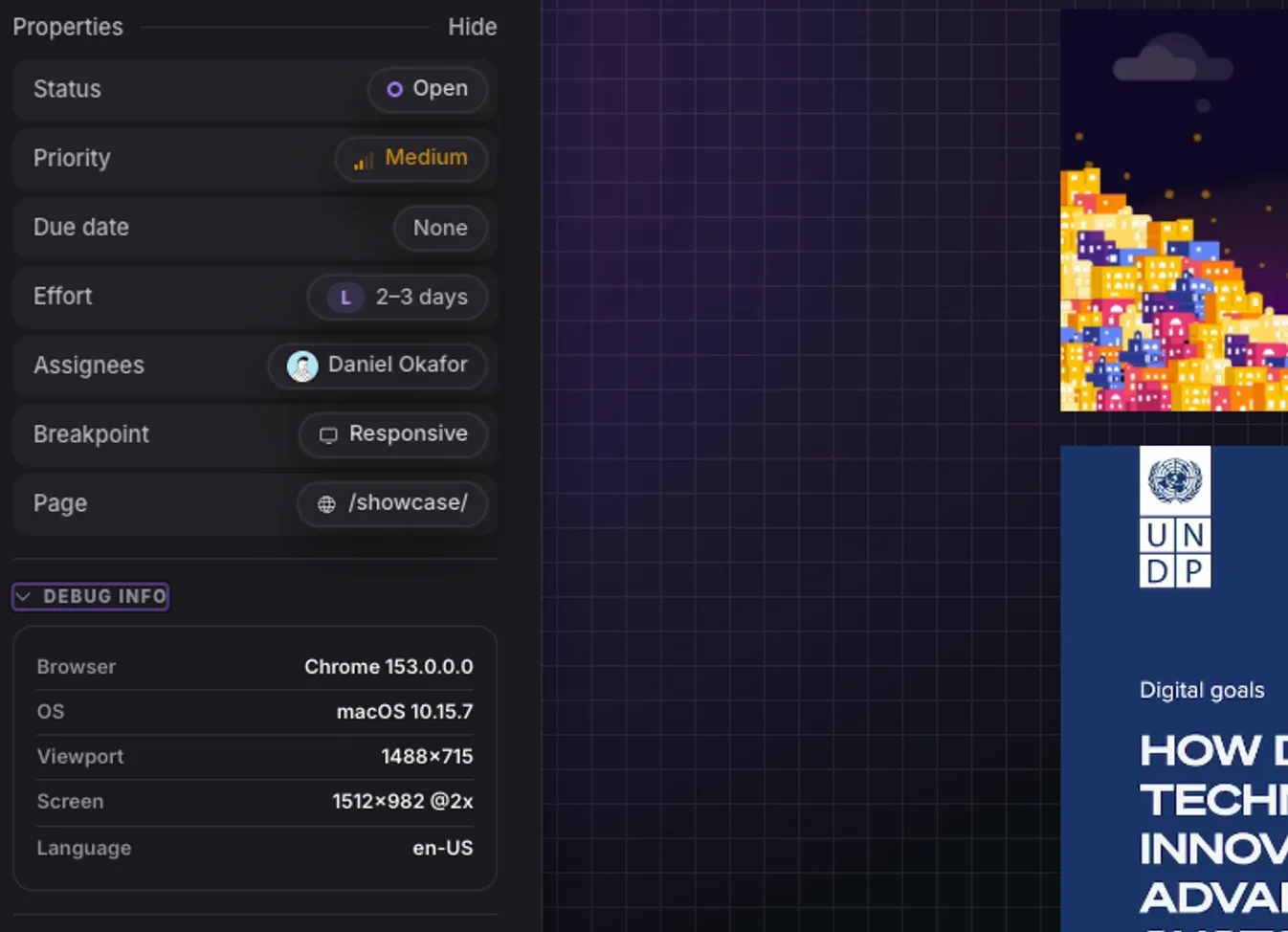
Console and network context
Every pin carries the errors and failed requests behind it for your developers.

Inspect the element
See the exact element, its styles and its accessibility details from the pin.
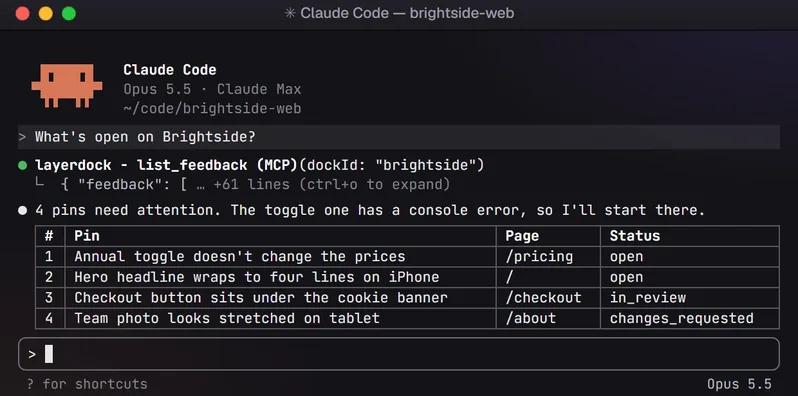
Hand it to your AI agent
Connect over MCP so your coding agent reads the feedback and fixes it.
How it works
1. Capture
Paste your site URL into a dock.

2. Share
Send the link. Clients need no account.

3. See
Every pin lands in one place, with context.
Layerdock pricing
Free
$0
Free forever, no card. Pins on the live site, unlimited client reviewers, one client share link.
Pro
$19/mo
Pro: per workspace, unlimited reviewers, 5 docks
Agency
$69/mo
Agency ($59/mo billed yearly): unlimited docks, console + network diagnostics
Console and network diagnostics are on the Agency plan, not the entry plan. Compare that tier, not the headline price, if diagnostics are what you are buying. See full pricing.
Not just us: the whole shortlist
This page argues one tool against another. If you have decided to leave MarkUp.io but not what to move to, MarkUp.io alternatives ranks the realistic options by verified entry price, including the ones cheaper than us.
Common questions
Can MarkUp.io review interactive websites?
It reviews a URL through its own hosted surface, which works for pages that render the same for everyone. It is weaker for flows behind a login, multi-step interactions, or anything where the reviewer needs to drive the real application, which is what a tool that runs on the live page, like Layerdock or BugHerd, is for.
Does Layerdock review PDFs or video?
No. Layerdock is live websites only. If PDFs, images or video are a regular part of your review cycles, MarkUp.io or zipBoard covers that ground and Layerdock does not.
Which is better value for a large team?
MarkUp.io, on seats alone. It gives unlimited users at $79/mo, where Layerdock Agency caps a workspace at 20 team members at $69/mo ($59/mo billed yearly), so past 20 people MarkUp.io is the one that still fits on a single plan. Layerdock is better value if you need many separate client workspaces, since MarkUp.io Pro gives you one and Layerdock Agency gives you unlimited docks.
Review the live site, with nothing to install
Paste a URL, share the link, and your client pins comments on the real page. Plans start free.
Other comparisons
Layerdock vs BugHerd
BugHerd from $50/mo
Layerdock vs Marker.io
Marker.io from $39/mo
Layerdock vs Userback
Userback from $39/mo
Layerdock vs Huddlekit
Huddlekit from $16/mo
Layerdock vs Ybug
Ybug from €13/mo
Layerdock vs Jam.dev
Jam.dev from $14/creator/mo
Layerdock vs Ruttl
Ruttl from $18/user/mo
Layerdock vs SureFeedback
SureFeedback from $25/mo
Layerdock vs Pastel
Pastel from $35/mo
Layerdock vs PageProofer
PageProofer from $39/mo
Layerdock vs Feedbucket
Feedbucket from $49/mo
Layerdock vs Bird Eats Bug
Bird Eats Bug from $50/mo
Layerdock vs Atarim
Atarim from $67/mo
Layerdock vs zipBoard
zipBoard from $99/mo
Layerdock vs Usersnap
Usersnap from Not published
Want the whole category rather than one head-to-head? Compare 17 website feedback tools, read what a dock is, or go straight to pricing.