
Layerdock vs BugHerd
BugHerd if you want the review tool to also be your task board and you are willing to pay per member for it. Layerdock if you want console and network data attached to every pin without asking the client for it.
Layerdock
Free to start
Free forever, no card. Pro is $19/mo per workspace, with unlimited client reviewers on every plan.
BugHerd
from $50/mo
5 members, unlimited projects, +$8/mo per extra member
Install
Nothing
Layerdock reviews a live site from a link. No extension for reviewers, and a snippet only for private staging.
Free forever, no card. Clients just open the link, nothing to install.
How this comparison was made
Both sets of prices were read off each vendor’s own pricing page on , not from a directory or another roundup, which are routinely months stale.
Layerdock makes one of these two tools. The section naming where BugHerd is the better choice is real, not a softened weakness. If it fits your work better, buy it.
BugHerd vs Layerdock at a glance
| BugHerd | Layerdock | |
|---|---|---|
| Free plan | Trial only | Free forever, no card |
| Entry price | $50/mo (5 members) | $19/mo (per workspace) |
| Extra team members | +$8/mo each | Included: 7 on Pro, 20 on Agency |
| Client reviewers | Unlimited, free | Unlimited, free |
| Console + network capture | Browser & OS metadata only | Full bundle on Agency ($59 to $69/mo) |
| Built-in task board | Yes | No, pushes to your tracker |
| Projects at entry tier | Unlimited | 5 docks (unlimited on Agency) |
| Install | Extension or JS snippet | Hosted link, no install |
 Layerdock
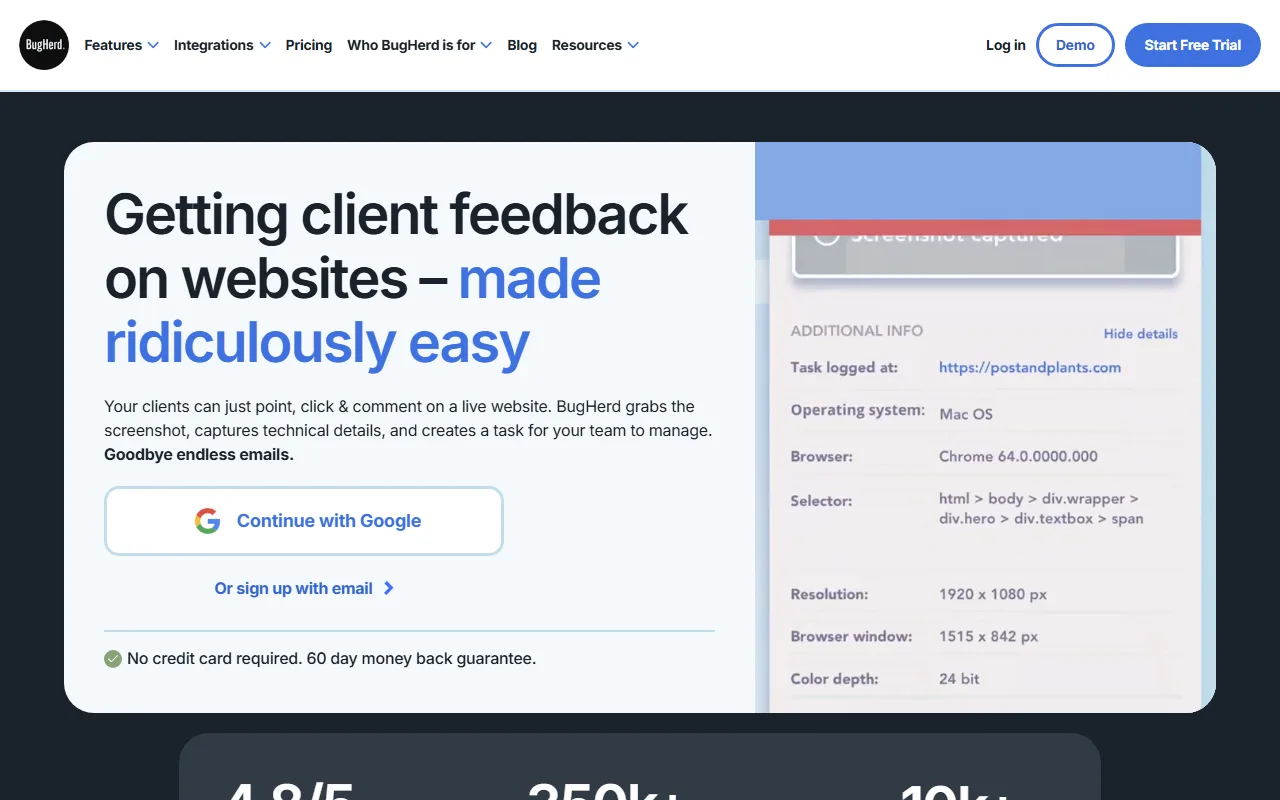
BugHerd is the established name in visual website feedback and the tool most agencies in this category have either used or evaluated. Reviewers pin comments onto the live site and each pin arrives carrying browser, OS and selector metadata. The reason teams stay on it is the built-in kanban board: feedback becomes a task you triage and assign inside BugHerd itself, with no export step.
That is the real decision. If you want one product to be both the review surface and the project tracker, BugHerd does that natively and Layerdock does not. Layerdock assumes the tracker you already use and pushes feedback into Slack, Linear, GitHub, Jira, Trello or ClickUp.
Where the two diverge sharply is what a pin carries. BugHerd records browser and OS metadata; Layerdock records the exact DOM element, a screenshot, the page’s console errors and any failed or slow network requests from that moment. The difference shows up when a client reports something intermittent. With the console bundle attached, the developer often does not need to reproduce it at all. On Layerdock that bundle sits on the Agency plan ($69/mo, or $59/mo billed yearly), not the $19 entry plan, which is worth knowing before comparing entry prices.
The pricing models differ more than the headline numbers suggest. BugHerd Standard is $50/mo for 5 members with unlimited projects, Studio $80/mo for 10 and Premium $150/mo for 25, with extra members at $8/mo. Layerdock is priced per workspace: $19/mo Pro or $69/mo Agency ($59/mo billed yearly), with unlimited client reviewers on every tier. On a small team with many projects BugHerd may well be the better deal; as the team grows, the per-member line is what moves.
When Layerdock is the better choice
- Console errors and network requests are captured on every pin automatically. BugHerd attaches browser and OS metadata but not full console output, so reproducing the bug still falls to whoever picks up the ticket.
- Pricing is per workspace, not per member. BugHerd is $50/mo for 5 members and $8/mo for each one after that; Layerdock is $19/mo for the workspace, with unlimited client reviewers on every tier.
- Pins stay anchored to their element through a redeploy, and a dock holds multiple build versions, so staging feedback and last week’s release stay in separate threads rather than one scrambled list.
When BugHerd is the better choice
- A genuine built-in kanban board. Feedback becomes a task you triage and assign without exporting it anywhere. Most competitors, Layerdock included, expect you to push to Slack, Linear, Jira or GitHub instead.
- The deepest integration catalogue and the longest track record with agencies in this category. If a third-party review or a case study for your exact workflow matters to you, BugHerd has far more of both.
- Unlimited projects from the entry tier, where Layerdock caps Pro at 5 docks and only removes the cap on the $59 to $69/mo Agency plan.
Try Layerdock alongside BugHerd
Paste your site, send one review link, and see which fits your team. The Free plan costs nothing.
Free forever, no card. Clients just open the link, nothing to install.
Everything in Layerdock, in one place
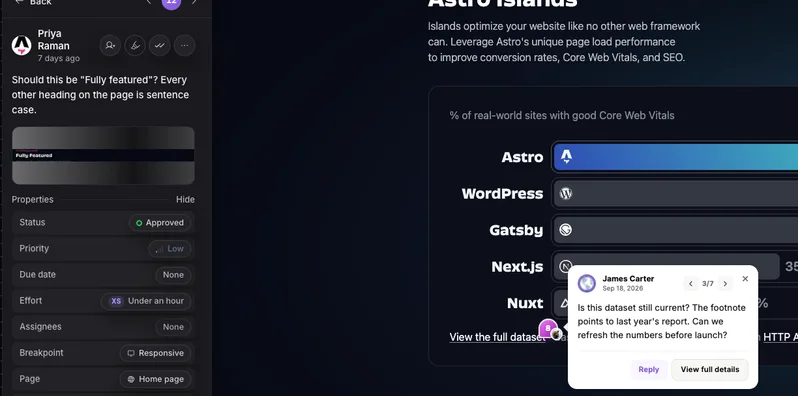
Pin it on the live page
Reviewers click any element on the real site and leave a comment. Nothing to install.
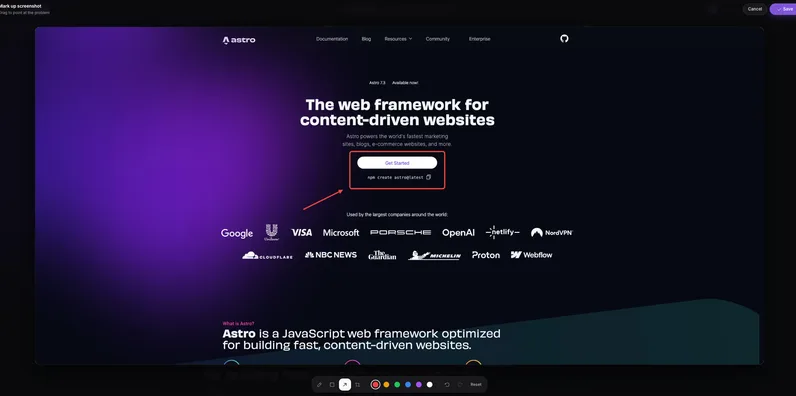
Draw and annotate
Mark up a screenshot with arrows and shapes so the change is obvious.
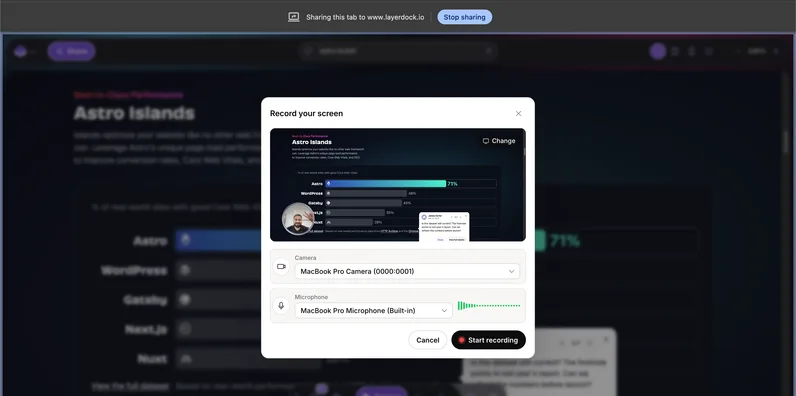
Record the problem
Screen recordings attach to the pin, so nobody has to explain it twice.

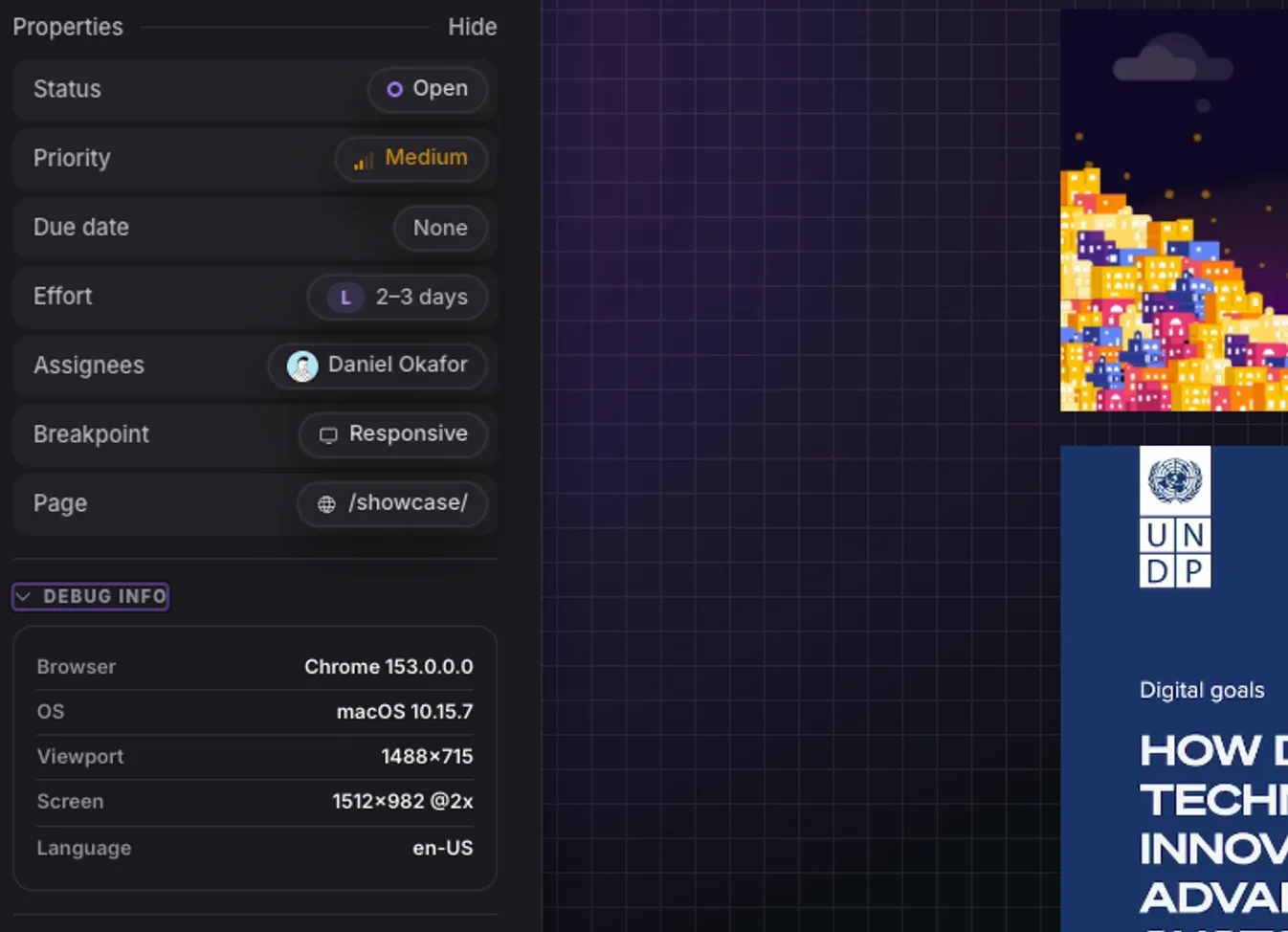
Console and network context
Every pin carries the errors and failed requests behind it for your developers.

Inspect the element
See the exact element, its styles and its accessibility details from the pin.
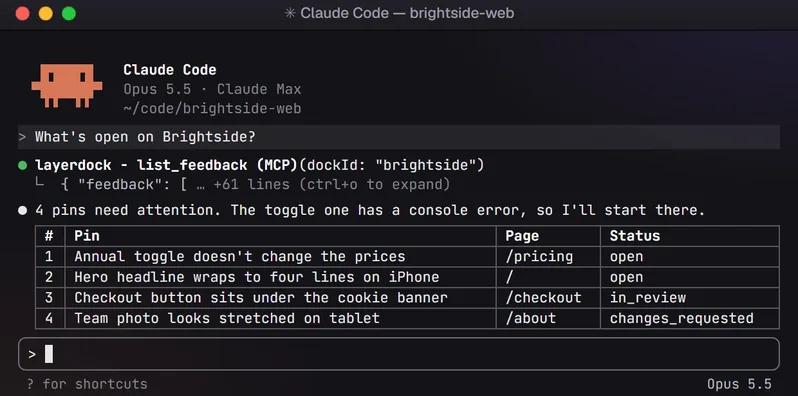
Hand it to your AI agent
Connect over MCP so your coding agent reads the feedback and fixes it.
How it works
1. Capture
Paste your site URL into a dock.

2. Share
Send the link. Clients need no account.

3. See
Every pin lands in one place, with context.
Layerdock pricing
Free
$0
Free forever, no card. Pins on the live site, unlimited client reviewers, one client share link.
Pro
$19/mo
Pro: per workspace, unlimited reviewers, 5 docks
Agency
$69/mo
Agency ($59/mo billed yearly): unlimited docks, console + network diagnostics
Console and network diagnostics are on the Agency plan, not the entry plan. Compare that tier, not the headline price, if diagnostics are what you are buying. See full pricing.
Not just us: the whole shortlist
This page argues one tool against another. If you have decided to leave BugHerd but not what to move to, BugHerd alternatives ranks the realistic options by verified entry price, including the ones cheaper than us.
Common questions
Is Layerdock cheaper than BugHerd?
At the entry tier, yes: $19/mo per workspace against $50/mo for 5 members. But it is not a like-for-like comparison: BugHerd gives you unlimited projects at that price where Layerdock Pro caps you at 5 docks, and Layerdock’s console and network diagnostics are on the Agency plan at $69/mo ($59/mo billed yearly). If diagnostics are what you are buying, Agency costs more than BugHerd’s $50 entry price, but it is one workspace price for unlimited docks and up to 20 team members, where BugHerd adds $8/mo for each member past 5 and does not capture console output.
Does BugHerd capture console errors?
BugHerd attaches browser and OS metadata to each pin, not full console output or network requests. If a developer needs the JavaScript errors that fired when the client hit the bug, that is the gap Layerdock’s Agency plan fills.
Can I use either tool on a client site I cannot deploy to?
Yes, both. BugHerd offers an extension as well as a JS snippet, and Layerdock loads a public site from its review link with nothing installed, so neither needs deploy access. This is where both differ from widget-only tools like Marker.io and Feedbucket, which require a script tag on the page.
Do clients need an account to leave feedback?
No, on either tool. BugHerd’s client reviewers are unlimited and free on every tier, and Layerdock reviewers open a share link and start pinning without installing anything or creating an account. Both charge for team members rather than for reviewers.
Review the live site, with nothing to install
Paste a URL, share the link, and your client pins comments on the real page. Plans start free.
Other comparisons
Layerdock vs Marker.io
Marker.io from $39/mo
Layerdock vs MarkUp.io
MarkUp.io from $79/mo
Layerdock vs Userback
Userback from $39/mo
Layerdock vs Huddlekit
Huddlekit from $16/mo
Layerdock vs Ybug
Ybug from €13/mo
Layerdock vs Jam.dev
Jam.dev from $14/creator/mo
Layerdock vs Ruttl
Ruttl from $18/user/mo
Layerdock vs SureFeedback
SureFeedback from $25/mo
Layerdock vs Pastel
Pastel from $35/mo
Layerdock vs PageProofer
PageProofer from $39/mo
Layerdock vs Feedbucket
Feedbucket from $49/mo
Layerdock vs Bird Eats Bug
Bird Eats Bug from $50/mo
Layerdock vs Atarim
Atarim from $67/mo
Layerdock vs zipBoard
zipBoard from $99/mo
Layerdock vs Usersnap
Usersnap from Not published
Want the whole category rather than one head-to-head? Compare 17 website feedback tools, read what a dock is, or go straight to pricing.