
MarkUp.io alternatives
Six MarkUp.io alternatives with verified entry pricing, plus where a hosted markup canvas still beats reviewing the live site.
Layerdock
Free to start
Free forever, no card. Pro is $19/mo per workspace, with unlimited client reviewers on every plan.
MarkUp.io
from $79/mo
Unlimited users, 1 workspace, 50 MarkUps/mo
Install
Nothing
Layerdock reviews a live site from a link. No extension for reviewers, and a snippet only for private staging.
Free forever, no card. Clients just open the link, nothing to install.
How this list was made
Every price below was read off that vendor’s own pricing page on , not from a directory or another roundup. Where a vendor publishes no price, the entry says so rather than guessing. Layerdock makes one of the tools on this list, so it is listed first and marked as ours. The rest follow in verified entry-price order, and the section on where MarkUp.io is still the better buy is real.
Why teams look for a MarkUp.io alternative
MarkUp.io is a clean, well-liked review canvas covering websites, PDFs, images and video in one place. The two things that send people looking are price and interactivity.
At $79/mo the Pro plan is the second-highest entry price in this category, and it buys 1 workspace. For a studio running several client relationships at once, that ceiling arrives quickly.
The larger difference is what you are commenting on. MarkUp.io renders a hosted markup of a URL, so a reviewer annotates a representation of the page rather than driving the page itself. For static design review that is fine and often preferable. For anything that requires logging in, filling a form, hitting a checkout step or reproducing a bug in a real session, it is the wrong surface.
What to look for in a MarkUp.io alternative
1Install model
A snippet on the page, an extension, or just a link. This decides whether you can review a site you cannot deploy to.
2Technical depth
Console and network capture on every report, or visual comments only. Check which plan the read sits on.
3Where issues live
A built-in board, a push to your tracker, or two-way sync. Pick the one your team already works in.
4Review tooling
Pins, drawing, screenshots, recordings and responsive widths, and whether clients can use them without an account.
5Pricing structure
Per workspace or per seat, what the entry plan actually includes, and what a reviewer costs. Compare the tier that carries the features you need.
6 alternatives to MarkUp.io at a glance
| Tool | Entry price | Free plan | How it captures |
|---|---|---|---|
| Layerdock | Free, then $19/mo | Free forever, no card | Hosted link, live site |
| Ruttl | $18/user/mo | 5 users, 1 project, 5 pages | Live-site review with CSS editing |
| Pastel | $35/mo | 1 user, 1 active canvas | Hosted review of a URL |
| zipBoard | $99/mo | Trial only | Hosted review of URLs and files |
| BugHerd | $50/mo | Trial only | Extension or JS snippet, live site |
| Marker.io | $39/mo | Trial only | Widget embedded via script tag |

1. Layerdock
Layerdock is our product, so we list it first. Every other price on this page is read off the vendor’s own site.
Per workspace, unlimited reviewers
Why it fits
Review happens on the live, interactive page with nothing to install, so reviewers can navigate, click through flows and comment on states a static markup never reaches. Pins stay anchored to their element through a redeploy, and each dock holds multiple build versions.
Where it is worse
We make this one. Websites only, with no PDF, image or video review at all, so if that breadth is why you chose MarkUp.io this does not replace it. 7 users on the $19 plan against MarkUp.io’s unlimited, and 5 docks at entry.
Best for: Agencies and dev teams that want technical context attached to every pin without asking the client for it.
2. Ruttl
Unlimited projects, unlimited guests
Why it fits
Covers websites plus PDFs and images like MarkUp.io does, but lets reviewers edit CSS on a live page rather than annotate a static capture. Unlimited projects and unlimited guests.
Where it is worse
Priced per user, so a large review group costs more than MarkUp.io’s unlimited-user Pro plan rather than less.
Best for: Designers who want to propose a visual change rather than only describe it.
3. Pastel
2 users, 3 canvases
Why it fits
The closest like-for-like: a hosted review of a URL with the same simplicity, at less than half the entry price.
Where it is worse
2 users and 3 canvases at entry, which is far tighter than MarkUp.io’s unlimited users, and it is website-focused rather than multi-format.
Best for: Solo designers and freelancers on straightforward website projects.
4. zipBoard
20 assets, 1GB storage
Why it fits
The strongest multi-format option here, covering URLs, documents, video and SCORM packages, built for eLearning and compliance review workflows MarkUp.io does not target.
Where it is worse
The highest entry price on this page at $99/mo for 20 assets and 1GB storage, and considerably heavier than MarkUp.io to adopt.
Best for: eLearning and compliance teams reviewing SCORM packages and documents.
5. BugHerd
5 members, unlimited projects
Why it fits
If most of your review is websites and the PDF work is occasional, BugHerd brings live-site pinning plus a built-in kanban board so feedback becomes a tracked task without leaving the tool.
Where it is worse
Websites only, $50/mo for 5 members with extras at $8/mo, so it is seat-sensitive where MarkUp.io is not.
Best for: Agencies that want feedback and task management in one product and are willing to pay for maturity.
6. Marker.io
3 users, billed annually ($59 monthly)
Why it fits
The right move if MarkUp.io feedback keeps getting retyped into Jira or Linear by hand. It turns each report into a properly-formed ticket with the thread syncing back.
Where it is worse
Websites only, widget installed via script tag, and console capture is on the $149/mo Team plan.
Best for: Dev teams already living inside Jira, Linear or Azure DevOps who want feedback to land there as a properly-formed issue.
Try the alternative that needs no install
Paste your site, send one review link, and see how it feels next to your current tool.
Free forever, no card. Clients just open the link, nothing to install.
Everything in Layerdock, in one place
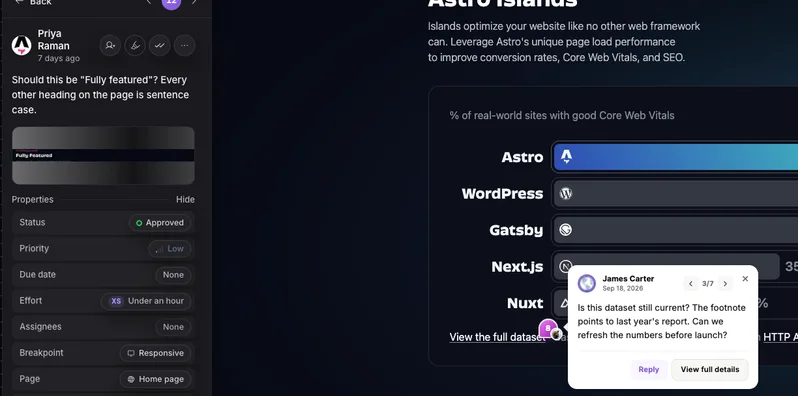
Pin it on the live page
Reviewers click any element on the real site and leave a comment. Nothing to install.
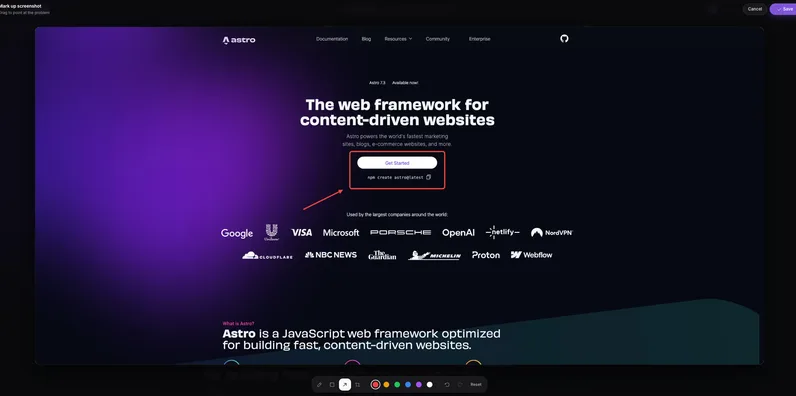
Draw and annotate
Mark up a screenshot with arrows and shapes so the change is obvious.
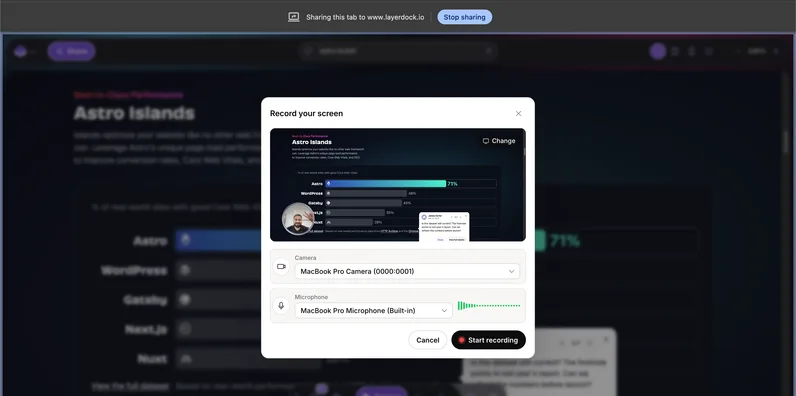
Record the problem
Screen recordings attach to the pin, so nobody has to explain it twice.

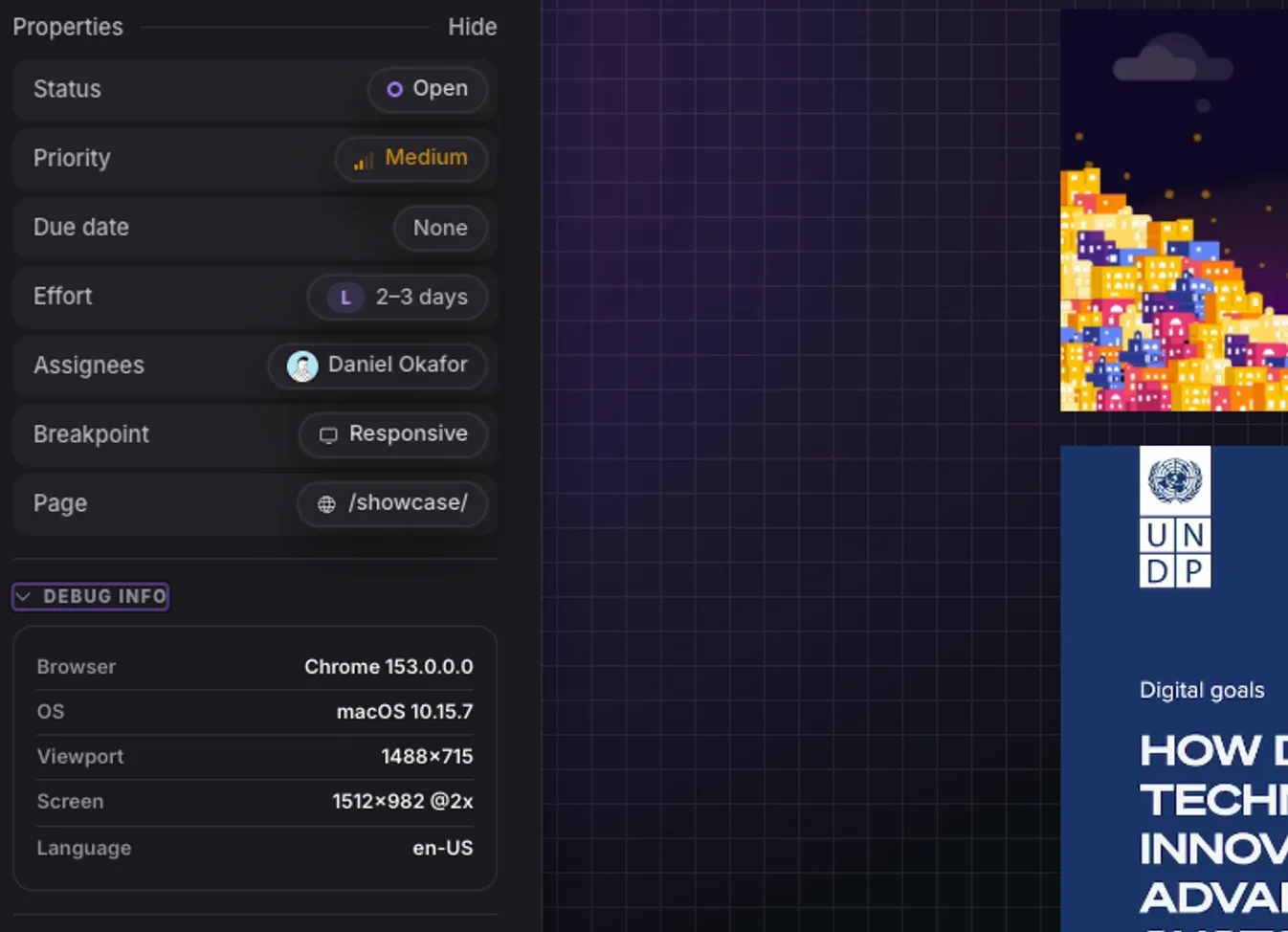
Console and network context
Every pin carries the errors and failed requests behind it for your developers.
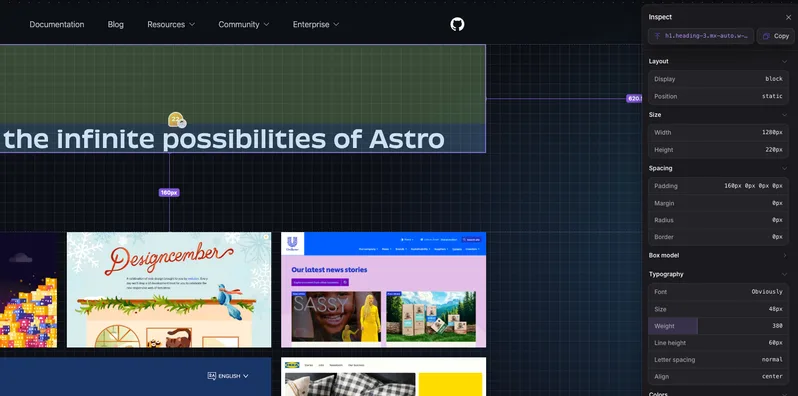
Inspect the element
See the exact element, its styles and its accessibility details from the pin.
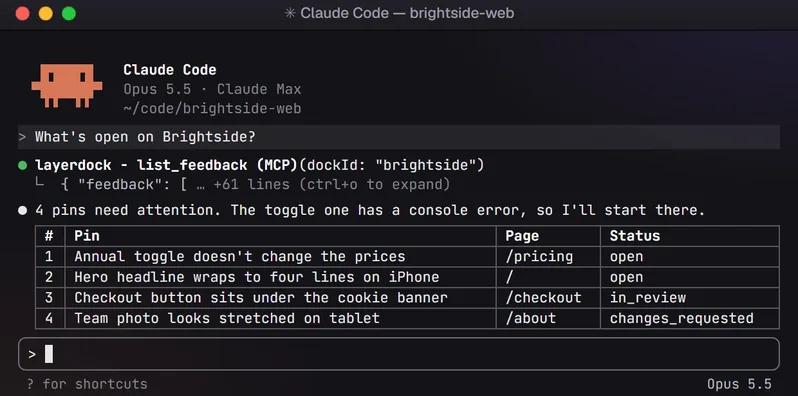
Hand it to your AI agent
Connect over MCP so your coding agent reads the feedback and fixes it.
How it works
1. Capture
Paste your site URL into a dock.

2. Share
Send the link. Clients need no account.

3. See
Every pin lands in one place, with context.
When to stay with MarkUp.io
- Nothing else on this list handles as many formats as gracefully. If your review rounds cover PDFs, images and video as well as websites, MarkUp.io does all of it in one product with one link, and splitting that across two tools is a real cost.
- Unlimited users on the Pro plan is genuinely generous next to the seat-metered tools here, so a large team reviewing a small number of assets can find $79/mo cheaper than anything else on the page.
- And a hosted canvas is the more sensible surface when the thing under review is a design that does not exist as a working site yet.
When to switch, and to what
Layerdock
Agencies and dev teams that want technical context attached to every pin without asking the client for it.
Ruttl
Designers who want to propose a visual change rather than only describe it.
Pastel
Solo designers and freelancers on straightforward website projects.
zipBoard
eLearning and compliance teams reviewing SCORM packages and documents.
BugHerd
Agencies that want feedback and task management in one product and are willing to pay for maturity.
Marker.io
Dev teams already living inside Jira, Linear or Azure DevOps who want feedback to land there as a properly-formed issue.
Making the switch
- 1
Export what matters
List the open feedback in MarkUp.io and move anything still live into your tracker. Closed history rarely needs to come along.
- 2
Create a dock
Paste the site URL into Layerdock. It loads the live site through a hosted review link, with nothing to install and no code change.
- 3
Share the link
Send the client link to reviewers. They pin comments on the real page with no account and no extension.
- 4
Connect your tracker
Push feedback out to Slack, Linear, GitHub, Jira, Trello or ClickUp so it lands where the work happens.
- 5
Run both for one round
Keep the old tool on a single project until the first review round closes, then cut over.
Common questions
What is the closest alternative to MarkUp.io?
Pastel, on shape. It is also a hosted review of a URL with a similar simplicity, at $35/mo against $79/mo, though it caps you at 2 users and 3 canvases. If you need the multi-format breadth rather than the website review, zipBoard covers more asset types than either, at a higher price.
Which alternatives review the live site instead of a hosted copy?
Layerdock loads the live page from its review link and adds its pin tool, so a reviewer can navigate and comment on interactive states, and its optional snippet covers staging behind a login. Ruttl works on the live site and adds CSS editing. BugHerd pins on the live page via extension or snippet. MarkUp.io, Pastel and zipBoard all render a hosted markup instead, which is the more useful surface for static design review and the wrong one for reproducing a bug.
Do any of these handle PDFs and video as well as websites?
zipBoard covers URLs, documents, video and SCORM packages, and Ruttl covers websites, PDFs and images. Everything else on this page is website-only, Layerdock included, which is worth knowing before treating it as a MarkUp.io replacement rather than a website-review tool.
Review the live site, with nothing to install
Paste a URL, share the link, and your client pins comments on the real page. Plans start free.
More comparisons
BugHerd alternatives
7 tools compared
Marker.io alternatives
7 tools compared
Userback alternatives
6 tools compared
Huddlekit alternatives
7 tools compared
Ybug alternatives
7 tools compared
Ruttl alternatives
7 tools compared
Jam.dev alternatives
6 tools compared
Pastel alternatives
7 tools compared
SureFeedback alternatives
7 tools compared
Feedbucket alternatives
7 tools compared
PageProofer alternatives
7 tools compared
Bird Eats Bug alternatives
6 tools compared
Atarim alternatives
7 tools compared
zipBoard alternatives
6 tools compared
Usersnap alternatives
7 tools compared
Want the whole category rather than one shortlist? Compare 17 website feedback tools, read what a dock is, or see Layerdock pricing.