
Bird Eats Bug alternatives
Short answer
Bird Eats Bug records sessions for engineers at $50/mo for 5 members ($10 for each extra), with no pin-on-the-page workflow for clients. For client review, Layerdock (free, then $19/mo per workspace) is the swap. For the same recording job, Jam.dev ($14/creator/mo) costs less, and Ybug (€13/mo) covers technical bug reports on a budget. Stay on Bird Eats Bug if QA hands engineering replays with logs attached.
Six Bird Eats Bug alternatives with verified entry pricing, split by whether you need a bug recording or client pinned feedback on a build.
Layerdock
Free to start
Free forever, no card. Pro is $19/mo per workspace, with unlimited client reviewers on every plan.
Bird Eats Bug
from $50/mo
5 members, unlimited recordings
Install
Nothing
Layerdock reviews a live site from a link. No extension for reviewers, and a snippet only for private staging.
Free forever, no card. Clients just open the link, nothing to install.
How this list was made
Every price below was read off that vendor’s own pricing page on , not from a directory or another roundup. Where a vendor publishes no price, the entry says so rather than guessing. Layerdock makes one of the tools on this list, so it is listed first and marked as ours. The rest follow in verified entry-price order, and the section on where Bird Eats Bug is still the better buy is real.
Why teams look for a Bird Eats Bug alternative
Bird Eats Bug records the session rather than annotating the page: a screen recording with console logs and network data attached, so a developer can watch the bug happen. That is a different job from client review, so the right alternative depends on which job you actually need done.
Teams that need to keep the bug-capture job usually leave over seats. Starter is $50/mo for 5 members with each extra member at $10/mo, and the next step, Premium, is $100/mo. A free tier allows 15 uploads a month and still includes console and network logs, which is generous but runs out quickly on a busy team.
Teams that need the other job, a client leaving comments pinned to a page, find that a recording has no pin-on-the-page workflow for a stakeholder giving design feedback. The list below mixes both kinds of tool and says which is which, ordered by verified entry price, ascending.
What to look for in a Bird Eats Bug alternative
1Install model
A snippet on the page, an extension, or just a link. This decides whether you can review a site you cannot deploy to.
2Technical depth
Console and network capture on every report, or visual comments only. Check which plan the read sits on.
3Where issues live
A built-in board, a push to your tracker, or two-way sync. Pick the one your team already works in.
4Review tooling
Pins, drawing, screenshots, recordings and responsive widths, and whether clients can use them without an account.
5Pricing structure
Per workspace or per seat, what the entry plan actually includes, and what a reviewer costs. Compare the tier that carries the features you need.
6 alternatives to Bird Eats Bug at a glance
| Tool | Entry price | Free plan | How it captures |
|---|---|---|---|
| Layerdock | Free, then $19/mo | Free forever, no card | Hosted link, live site |
| Ybug | €13/mo | 1 member, 1 project, 50 screenshots a month | Widget + browser extension |
| Jam.dev | $14/creator/mo | 30 captures and 5 recording links a month | Browser extension + iOS app |
| Marker.io | $39/mo | Trial only | Widget embedded via script tag |
| Userback | $49/mo | 2 seats, 2 sites, 7-day feedback access | Widget + browser extension |
| BugHerd | $50/mo | Trial only | Extension or JS snippet, live site |

1. Layerdock
Layerdock is our product, so we list it first. Every other price on this page is read off the vendor’s own site.
Per workspace, unlimited reviewers
Why it fits
The swap for the client-review job. A reviewer opens a link, clicks an element and comments, with nothing to install, and the developer gets the element, a screenshot and a console and network bundle. Reviewers can also record their screen, within the plan’s recording allowance.
Where it is worse
We make this one. It is not a session replay tool, and the console and network bundle is read on the Agency plan at $69/mo ($59/mo billed yearly), not the $19 Pro plan. Live websites only, and a Pro plan caps you at 5 docks.
Best for: Agencies and dev teams that want technical context attached to every pin without asking the client for it.
2. Ybug
3 members, 3 projects
Why it fits
For bug reports with technical context on a small budget: a widget plus a browser extension, with full console and network logs from the Startup plan. A free tier covers 1 member, 1 project and 50 screenshots a month.
Where it is worse
Screenshot-based rather than a session replay, and priced in euros with 3 members and 3 projects at entry. Basic records only a limited console log.
Best for: Small teams who want console and network capture on a genuinely cheap plan and can work in euros.
3. Jam.dev
Billed yearly, 50 creator seats
Why it fits
The nearest like-for-like swap if the recording is what you use: a screen recording with console logs, network data and user actions in one shareable link, from a browser extension and an iOS app.
Where it is worse
Billed per creator seat ($14/creator/mo, yearly), so it carries the same seat pressure, and it is bug capture rather than client review. The free tier is 30 captures and 5 recording links a month.
Best for: Internal engineering and QA teams filing bugs to each other, not clients reviewing a build.
4. Marker.io
3 users, billed annually ($59 monthly)
Why it fits
Console log recording, network capture and session replay on the Team plan, with properly-formed tickets sent to Jira, Linear or Azure DevOps. Reporters are free and unlimited.
Where it is worse
Those capture features are on the $149/mo Team plan, three times Bird Eats Bug’s entry price. It is a widget, so it needs deploy access to the site.
Best for: Dev teams already living inside Jira, Linear or Azure DevOps who want feedback to land there as a properly-formed issue.
5. Userback
5 seats, 5 sites ($39 annually)
Why it fits
Visual feedback plus session replay, surveys and feature voting, with a free tier of 2 seats. The broader option for a product team hearing from end users.
Where it is worse
Aimed at product managers rather than QA, and seat-priced: 5 seats at entry, unlimited seats from $99/mo.
Best for: Product teams running a whole feedback lifecycle, not just an agency review round.
6. BugHerd
5 members, unlimited projects
Why it fits
The established choice for the pinned-feedback job, with a built-in kanban board so feedback becomes a triaged task without an export step.
Where it is worse
Costs the same $50/mo entry price for 5 members, and records browser and OS metadata rather than console output or a recording.
Best for: Agencies that want feedback and task management in one product and are willing to pay for maturity.
Try the alternative that needs no install
Paste your site, send one review link, and see how it feels next to your current tool.
Free forever, no card. Clients just open the link, nothing to install.
Everything in Layerdock, in one place
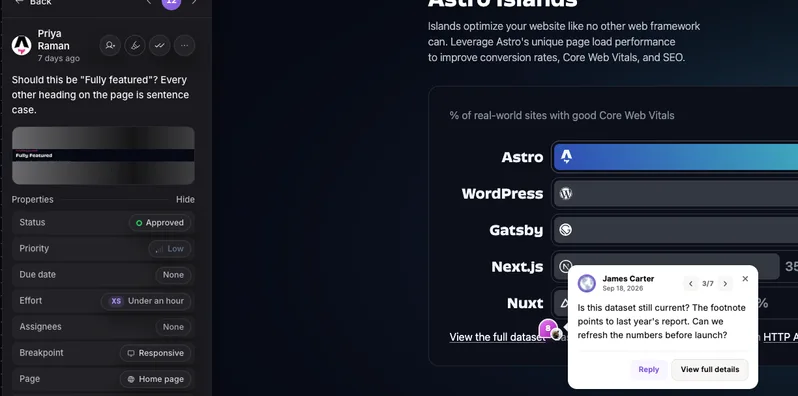
Pin it on the live page
Reviewers click any element on the real site and leave a comment. Nothing to install.
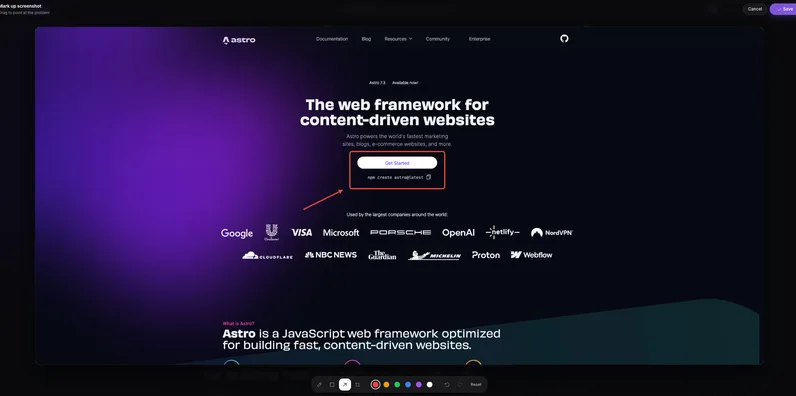
Draw and annotate
Mark up a screenshot with arrows and shapes so the change is obvious.
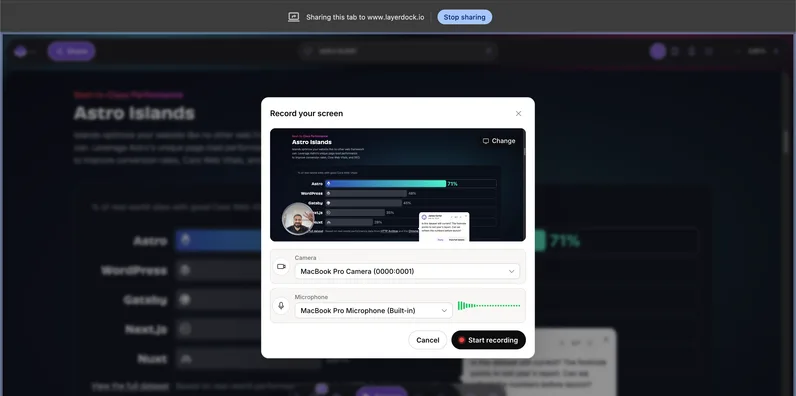
Record the problem
Screen recordings attach to the pin, so nobody has to explain it twice.
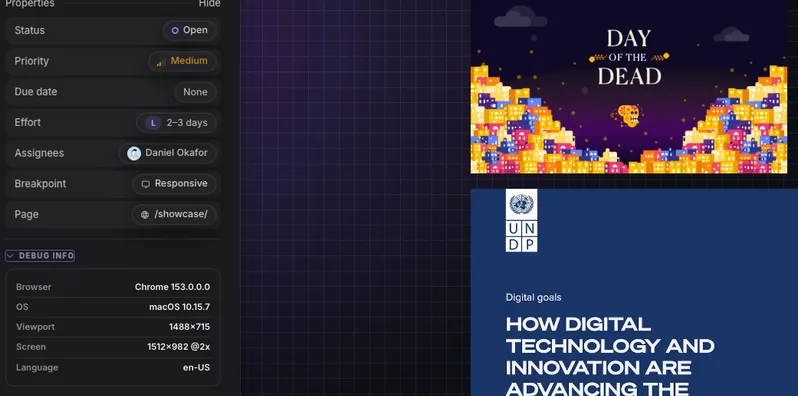
Console and network context
Every pin carries the errors and failed requests behind it for your developers.
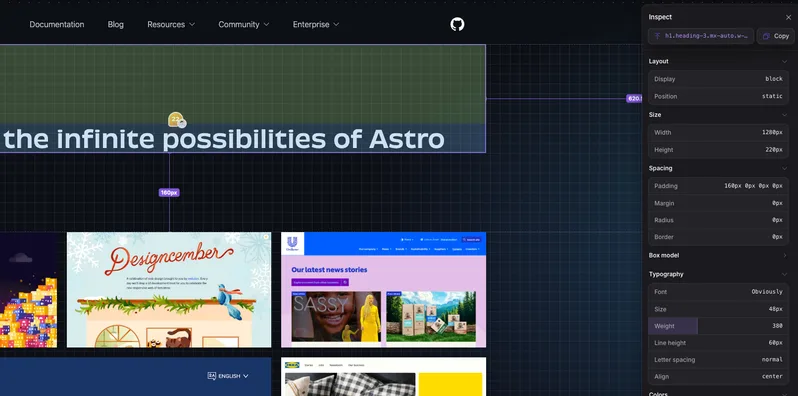
Inspect the element
See the exact element, its styles and its accessibility details from the pin.
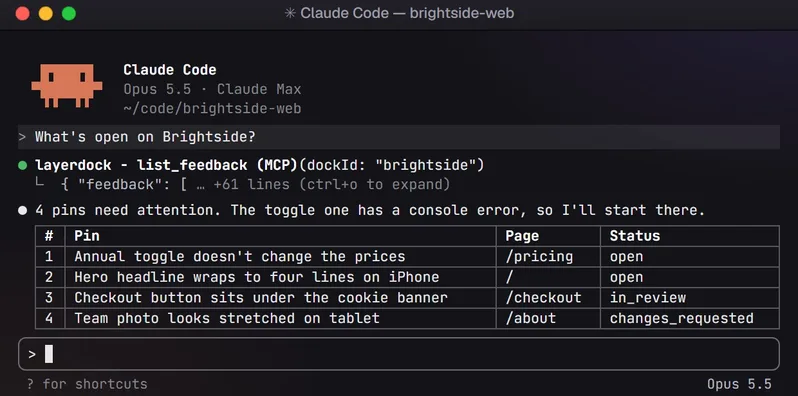
Hand it to your AI agent
Connect over MCP so your coding agent reads the feedback and fixes it.
How it works
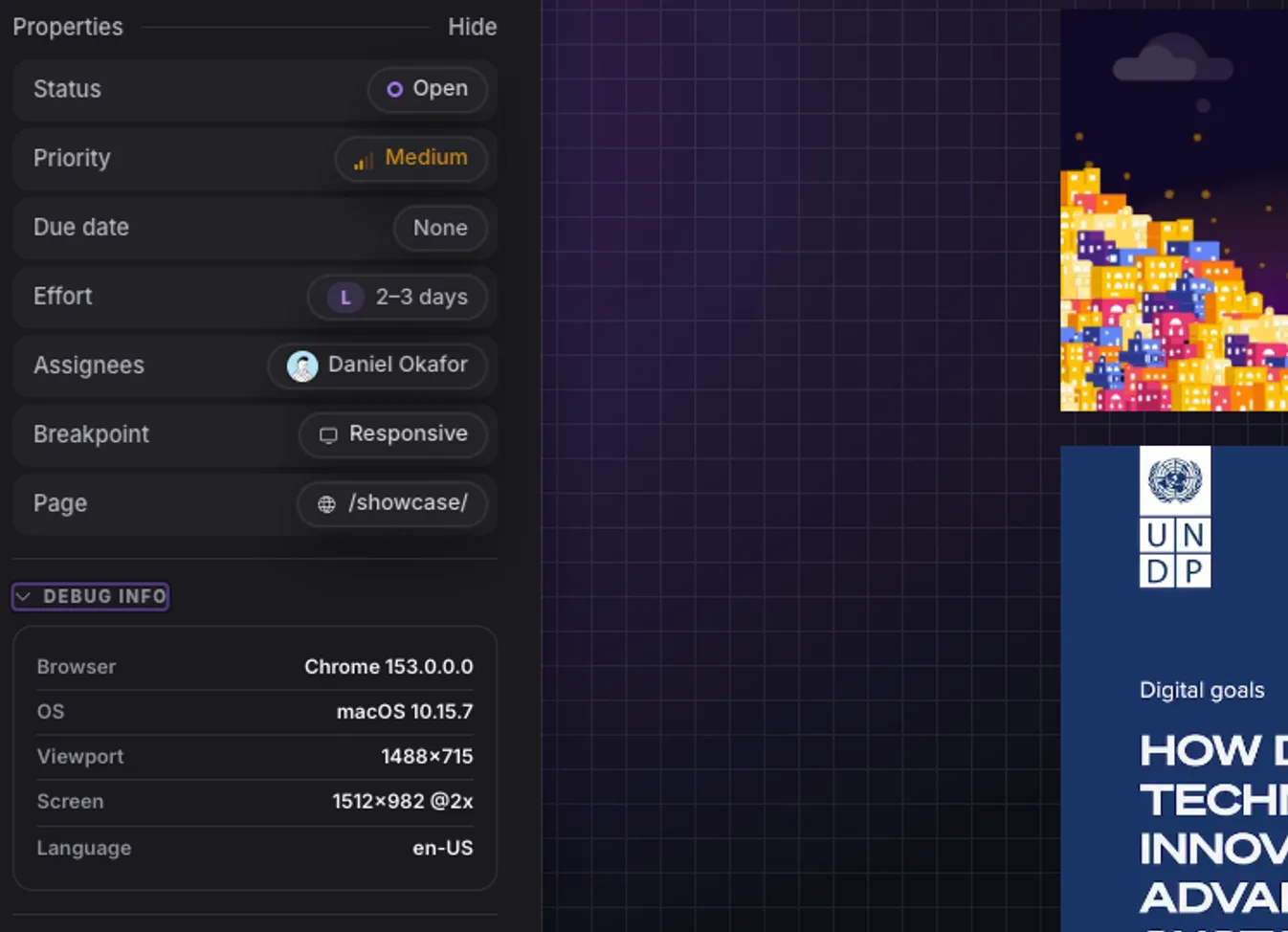
1. Capture
Paste your site URL into a dock.
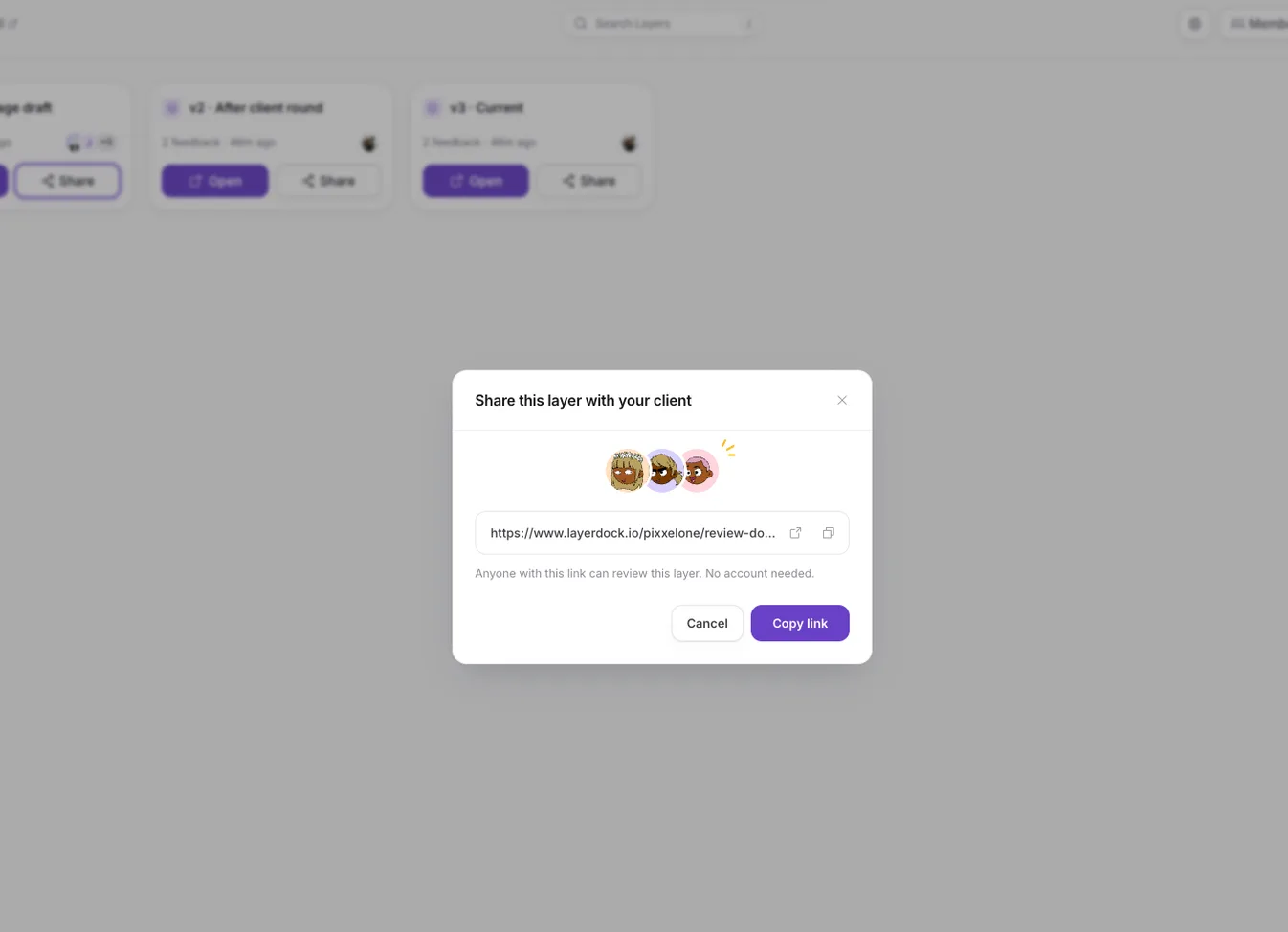
2. Share
Send the link. Clients need no account.
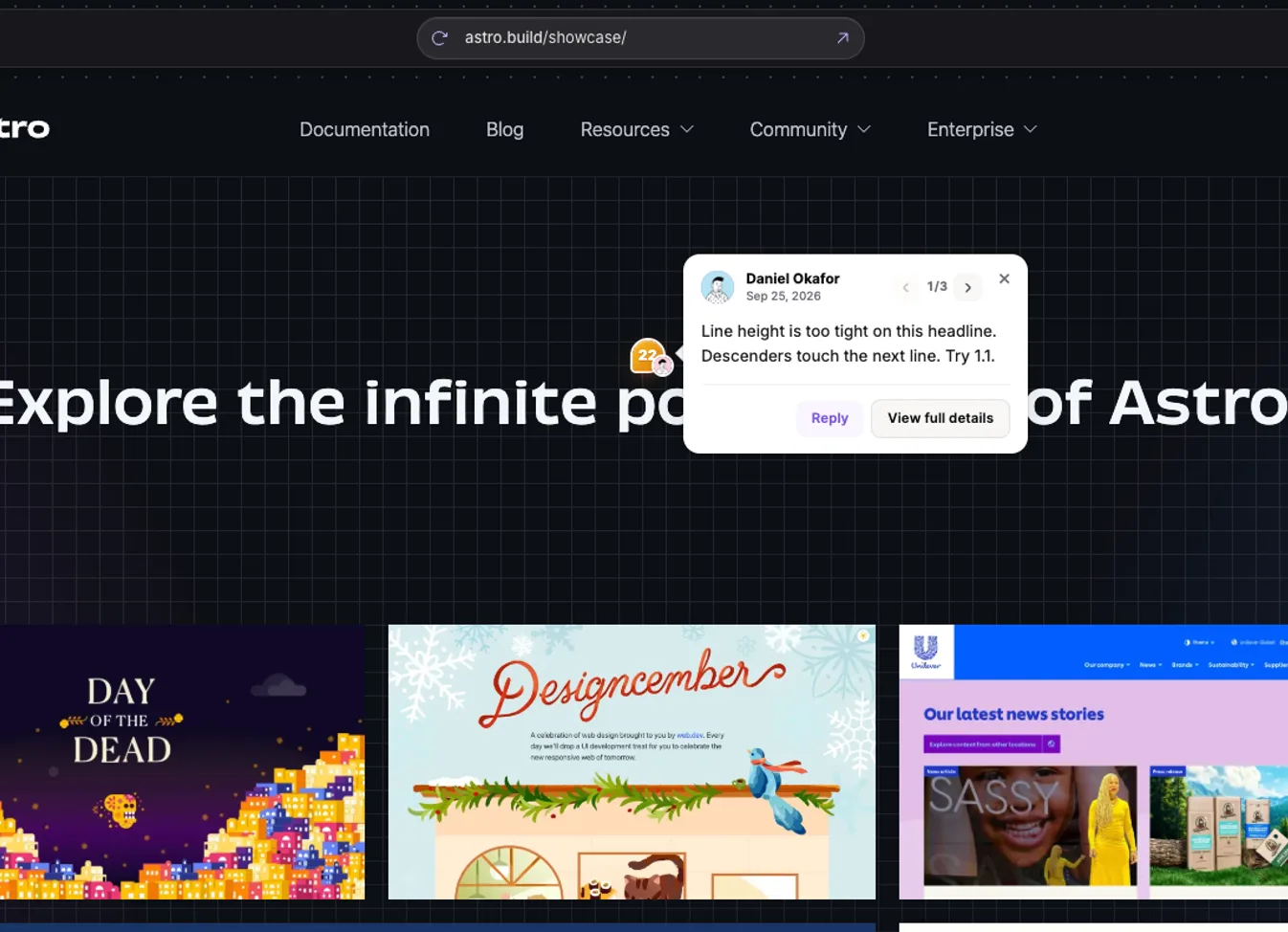
3. See
Every pin lands in one place, with context.
When to stay with Bird Eats Bug
- If QA and support need to hand engineering a replay, a recording with console logs and network data attached is the right artefact. A pinned comment cannot show a bug happening, and most of this list is built around pins rather than recordings.
- The free tier still includes console and network logs, which several competitors withhold from their cheaper plans.
- Premium adds an E2E test generator, which nothing else on this page lists.
When to switch, and to what
Layerdock
Agencies and dev teams that want technical context attached to every pin without asking the client for it.
Ybug
Small teams who want console and network capture on a genuinely cheap plan and can work in euros.
Jam.dev
Internal engineering and QA teams filing bugs to each other, not clients reviewing a build.
Marker.io
Dev teams already living inside Jira, Linear or Azure DevOps who want feedback to land there as a properly-formed issue.
Userback
Product teams running a whole feedback lifecycle, not just an agency review round.
BugHerd
Agencies that want feedback and task management in one product and are willing to pay for maturity.
Making the switch
- 1
Export what matters
List the open feedback in Bird Eats Bug and move anything still live into your tracker. Closed history rarely needs to come along.
- 2
Create a dock
Paste the site URL into Layerdock. It loads the live site through a hosted review link, with nothing to install and no code change.
- 3
Share the link
Send the client link to reviewers. They pin comments on the real page with no account and no extension.
- 4
Connect your tracker
Push feedback out to Slack, Linear, GitHub, Jira, Trello or ClickUp so it lands where the work happens.
- 5
Run both for one round
Keep the old tool on a single project until the first review round closes, then cut over.
Common questions
Is Bird Eats Bug a client feedback tool?
No. It records sessions with console and network data attached, which suits QA and support. There is no pin-on-the-page workflow for a stakeholder giving design feedback. If a client has to comment on a build, look at the pin-based tools on this page instead.
What is the cheapest Bird Eats Bug alternative?
Of the tools whose pricing we could verify, Ybug is cheapest at €13/mo, followed by Jam.dev at $14 per creator per month billed yearly and Layerdock at $19/mo per workspace. Bird Eats Bug itself is $50/mo for 5 members, with a free tier of 15 uploads a month.
Which alternatives capture console and network data like Bird Eats Bug?
Jam.dev captures console logs and network data in its recording. Ybug records full console and network logs from €29/mo (€23 billed yearly). Layerdock captures the bundle on every pin and reads it on the Agency plan. Marker.io captures it on the $149/mo Team plan.
Which alternative is priced per workspace rather than per seat?
Layerdock, at $19/mo Pro and $69/mo Agency ($59/mo billed yearly), with unlimited client reviewers on every tier. Bird Eats Bug charges $10/mo per member past 5, and Jam.dev, Userback and BugHerd are also seat-priced.
Can I review a client site I have no deploy access to?
With Bird Eats Bug, Jam.dev, Ybug, Userback and BugHerd you install a browser extension. Layerdock loads a public site from its review link with nothing installed. Marker.io is a widget and needs a script tag on the page, which rules it out when you cannot deploy.
Review the live site, with nothing to install
Paste a URL, share the link, and your client pins comments on the real page. Plans start free.
More comparisons
BugHerd alternatives
7 tools compared
Marker.io alternatives
7 tools compared
MarkUp.io alternatives
6 tools compared
Userback alternatives
6 tools compared
Huddlekit alternatives
7 tools compared
Ybug alternatives
7 tools compared
Ruttl alternatives
7 tools compared
Jam.dev alternatives
6 tools compared
Pastel alternatives
7 tools compared
SureFeedback alternatives
7 tools compared
Feedbucket alternatives
7 tools compared
PageProofer alternatives
7 tools compared
Atarim alternatives
7 tools compared
zipBoard alternatives
6 tools compared
Usersnap alternatives
7 tools compared
Simple Commenter alternatives
7 tools compared
Want the whole category rather than one shortlist? Compare 17 website feedback tools, see the best client feedback tools for web development by job, read what a dock is, or see Layerdock pricing.