On this page
A website review and approval process works when every round has a scope, a deadline and one owner, and when stakeholders only see work that has already passed internal checks. Most review delays come from the opposite: open-ended rounds, feedback arriving in five places, and people commenting on pages that were never meant to be final. The five stages below put the right reviewers on the right questions, in an order that avoids redoing work.
Why website reviews drag on
Ask why a site launched three weeks late and the answer is rarely one big problem. It is a pile of small ones:
- Open-ended requests. “Have a look and let us know” has no end date and no scope, so feedback arrives for weeks and covers everything at once.
- The wrong reviewer at the wrong time. A managing director reviewing placeholder copy, or a copywriter commenting on hover states, produces feedback that is either premature or outside their area.
- Scattered channels. Comments in email, chat, calls and a shared document mean nobody holds the full list, so items are fixed twice or never.
- No build boundary. Feedback on Tuesday’s build mixed with feedback on Friday’s means fixing things that were already fixed.
- No definition of done. Without a named approver and a clear “approved”, the last round never quite ends.
Each of these has a structural fix, and none of the fixes asks reviewers to try harder.
Decide who reviews what
Before the first round, name the people involved and what each of them is responsible for. Four roles cover most projects, and one person can hold more than one of them.
- The review owner, usually the project manager or account lead. Runs each round, sends the link, chases the deadline, consolidates the feedback and answers what can be answered. Every comment passes through this person before it reaches a developer.
- Specialist reviewers. The designer for visual accuracy, a copywriter or content owner for words and images, someone technical for function. Each one reviews their own area.
- Stakeholders. The client team or internal business owners, who judge whether the site does what the business needs.
- The approver. One person with the authority to say “approved”. Not a committee. If the client insists on several, ask which of them has the final word.
Then give each stage of the review its reviewers and, just as usefully, its blind spots:
| Stage | Who reviews | What they check | What they leave alone |
|---|---|---|---|
| 1Internal QA | The build team | Links, forms, layout at every width, browsers, placeholders | Taste |
| 2Design review | The designer | Spacing, type, colour, components, hover and error states | Wording |
| 3Content review | Copywriter or content owner | Copy, facts, prices, legal text, images | Pixel alignment |
| 4Stakeholder review | Client or business owners | Accuracy, clarity, whether the site does its job | Anything already signed off at an earlier stage |
| 5Sign-off | The approver | That this build is ready to launch | Nice-to-haves (they go on the post-launch list) |
The five stages, with start and finish
Each stage has a condition for starting and one for finishing. They are what stop half-done work drifting into the next stage, where it costs more to fix.
1. Internal QA
The team checks the build before anyone outside it sees it: broken links, forms that do not submit, layouts that break at phone width, missing images, placeholder text. None of these should ever reach a client. Every one they find costs credibility and adds a comment someone has to process. The 50-point website QA checklist covers this stage in full.
- Starts when
- The build is feature complete on staging.
- Done when
- No known broken links, forms or layouts remain.
2. Design review
The designer compares the build with the design: spacing, type sizes, colours, components, and the states a static design does not show, such as hover, focus, empty and error. This is the stage for pixel-level comments, and the only one. Run it before content review so the people checking the words are not distracted by alignment issues that are already on a list.
- Starts when
- Internal QA is closed.
- Done when
- Every design comment is fixed or declined with a reason.
3. Content review
The people who own the words check them: copy, headings, legal text, product names, prices, dates, image choices and alt text. Content is where clients most often know things the team does not, so it deserves its own pass rather than being folded into everything else.
- Starts when
- Final copy and images are in place, with no placeholders.
- Done when
- The content owner confirms facts, prices and legal text.
4. Stakeholder review
Now the client or business owners see the whole site, with the obvious problems already gone. Ask them the question only they can answer: does this site do what you need it to do? Brief them to comment on accuracy, clarity and fit, and to leave visual detail to the designer unless something genuinely bothers them.
- Starts when
- Stages 1 to 3 are closed.
- Done when
- No must-fix comment is open; everything else is triaged.
5. Sign-off
The approver confirms in writing that a specific build is ready to launch. Anything they still want that does not block launch goes onto a post-launch list with an owner. There is more on this below.
- Starts when
- A build with no open must-fix items.
- Done when
- Written approval naming that build.
Smaller projects can merge stages (design and content review often run together on a five-page site), but keep the order: internal checks first, stakeholders last.
How to run a review round
Every round, at every stage, runs the same way.
- Freeze what is being reviewed. Reviewers look at a build that will not change under them. If development continues during the round, it happens somewhere else or waits.
- Send one link with a scope and a deadline. “Please review the four checkout pages by Thursday at 5pm” gets feedback by Thursday. Two to three working days suits most rounds: long enough to fit around other work, short enough to keep momentum.
- Brief the reviewers in a few lines. What to look at, what to ignore, how to leave feedback and who else is reviewing. A two-minute walkthrough on a call beats a written guide nobody reads. Point first-time reviewers at how to give website feedback.
- Close the round on the deadline. Late feedback goes into the next round, not this one. It feels strict the first time and saves days every time after.
- Triage everything. Sort each item into a change to make, a question to answer, a duplicate, or out of scope. Only the first becomes developer work.
- Respond to every item. Fixed, won’t fix (with a reason), or needs a decision. Reviewers who see their comments acknowledged keep using the process; reviewers who see them vanish go back to email.
Put the number of revision rounds in the brief or the contract. Two or three per stage is common. The point is not to refuse changes. It is to make a fourth round a conscious decision, with its cost visible, instead of something that happens by default.
When reviewers disagree
Two stakeholders will ask for opposite things. The worst outcome is a developer choosing between them. The review owner should catch contradictions during triage and settle them before any work starts.
- Decide by role. The brand owner decides brand questions, the content owner decides wording, the product owner decides behaviour.
- Go back to the goal. Most disagreements are about taste. Reframed as “which version does this page’s job better?”, most of them end quickly.
- Escalate once. If it is still open, the approver decides, and the decision is written on the comment thread where both reviewers can see it.
Getting a sign-off that holds
A sign-off is only useful if everyone agrees later on what was signed off. Make it specific:
- A named approver, agreed at the start.
- A specific build. The URL and the version or date, not “the site”.
- In writing. A reply on the review thread or an email saying “approved for launch” is enough. A verbal yes on a call is not.
- A post-launch list. Everything wanted but not blocking goes on it, with an owner. This is what lets an approver say yes without feeling they are giving up on the things they still care about.
After sign-off, new requests are new work. That is not a penalty. It is the line that lets both sides plan.
A sign-off message you can copy
Send it to the approver with the round’s link, and keep their reply with the project. A reply of “approved” to this message is a sign-off that names its build.
Subject: Sign-off for [site] – build of [date]

Hi [approver],

Round [n] is closed and every must-fix item is resolved.

Build for sign-off: [review link or URL], as of [date and time]
Resolved this round: [number] items
Moved to the post-launch list: [number] items (list attached)

Please reply "approved" to confirm this build can go live,
or list anything that still blocks launch by [deadline].

Thanks,
[name]
Running it in LayerDock
The process works with any tool. Here is how its pieces map onto LayerDock.
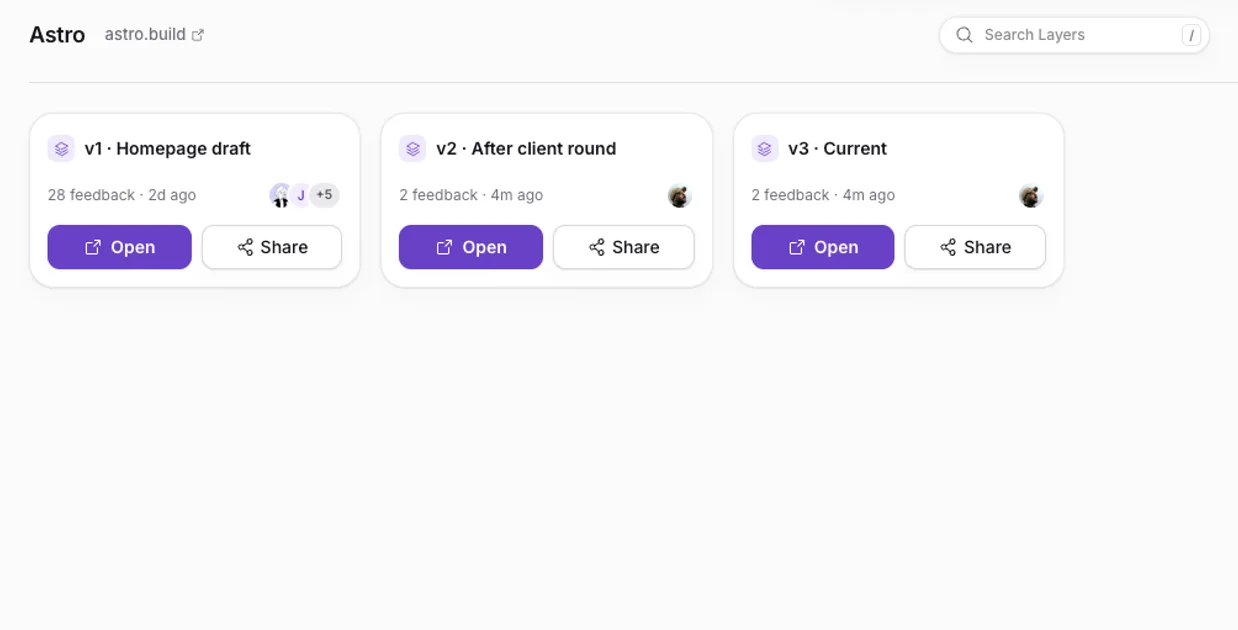
- A dock per site, a layer per round. A dock holds one site’s reviews, and each layer inside it is a separate build or round, so feedback on this round never mixes with the last.
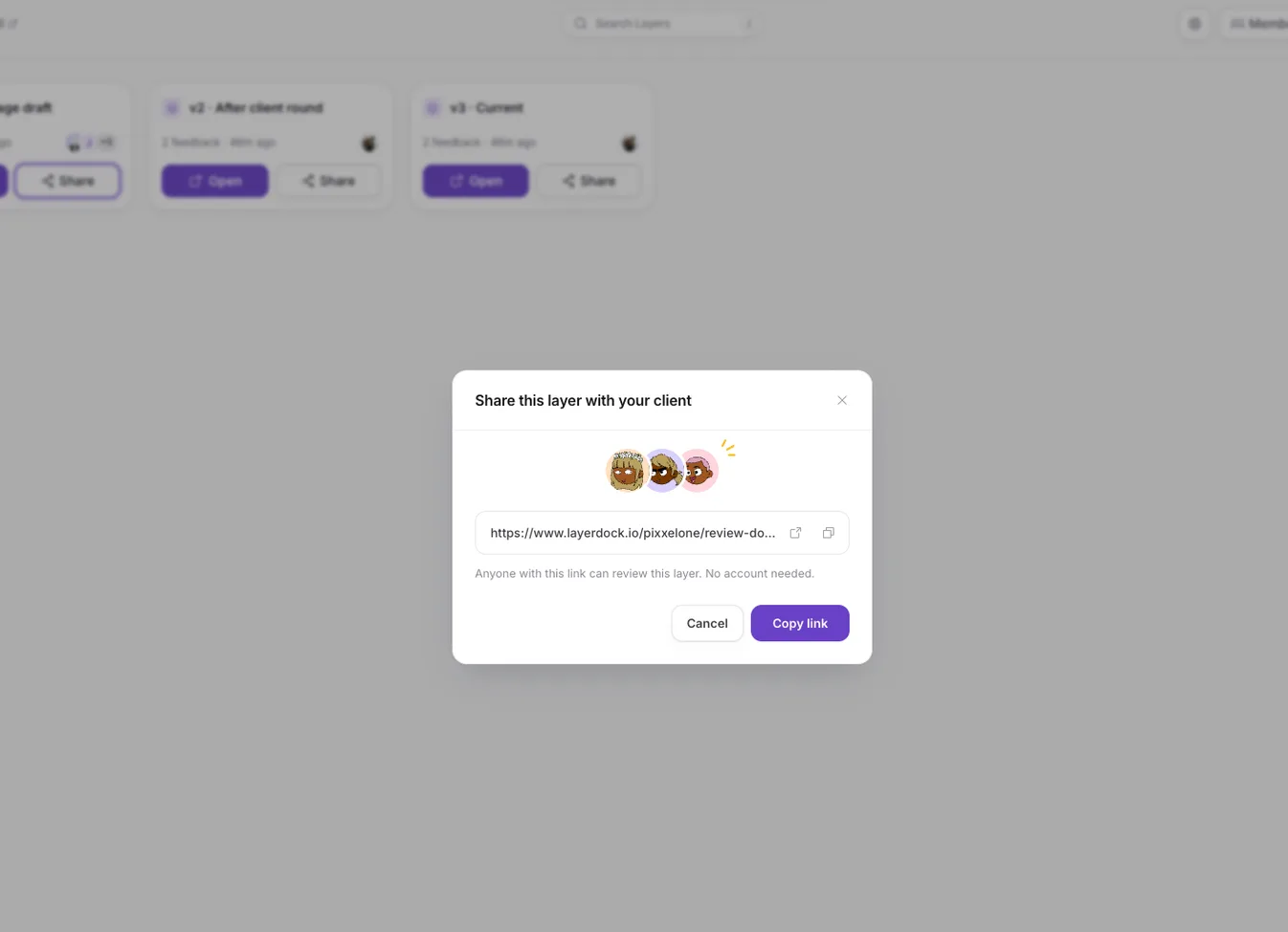
- One link for reviewers. Clients open the link and pin comments on the live page, with no account and nothing to install. The Free plan includes a client link on one dock; Pro and Agency include one on every dock.
- Statuses for triage. Every pin moves through open, in review, changes requested, approved and resolved, so the list shows what is left at a glance.
- Close a round by pausing its layer. A paused layer refuses new pins while replies on existing threads still land, so the deadline enforces itself.
- Hand the work on. On Pro and Agency, pins can go to Slack, Jira, Linear, GitHub, Trello or ClickUp (set-up guides), so developers work from the tracker they already use.
For the client-facing half in more detail, see how to collect client feedback on a website.