


Pin comments, record issues, inspect any element, and give developers the full context. Right in the browser.
“LayerDock makes working with clients so much easier. I know exactly what they're pointing to and what needs fixing.”
Make feedback useful
from the first click.
Point to the issue, capture what matters, and give the person fixing it enough context to move without another round of questions.
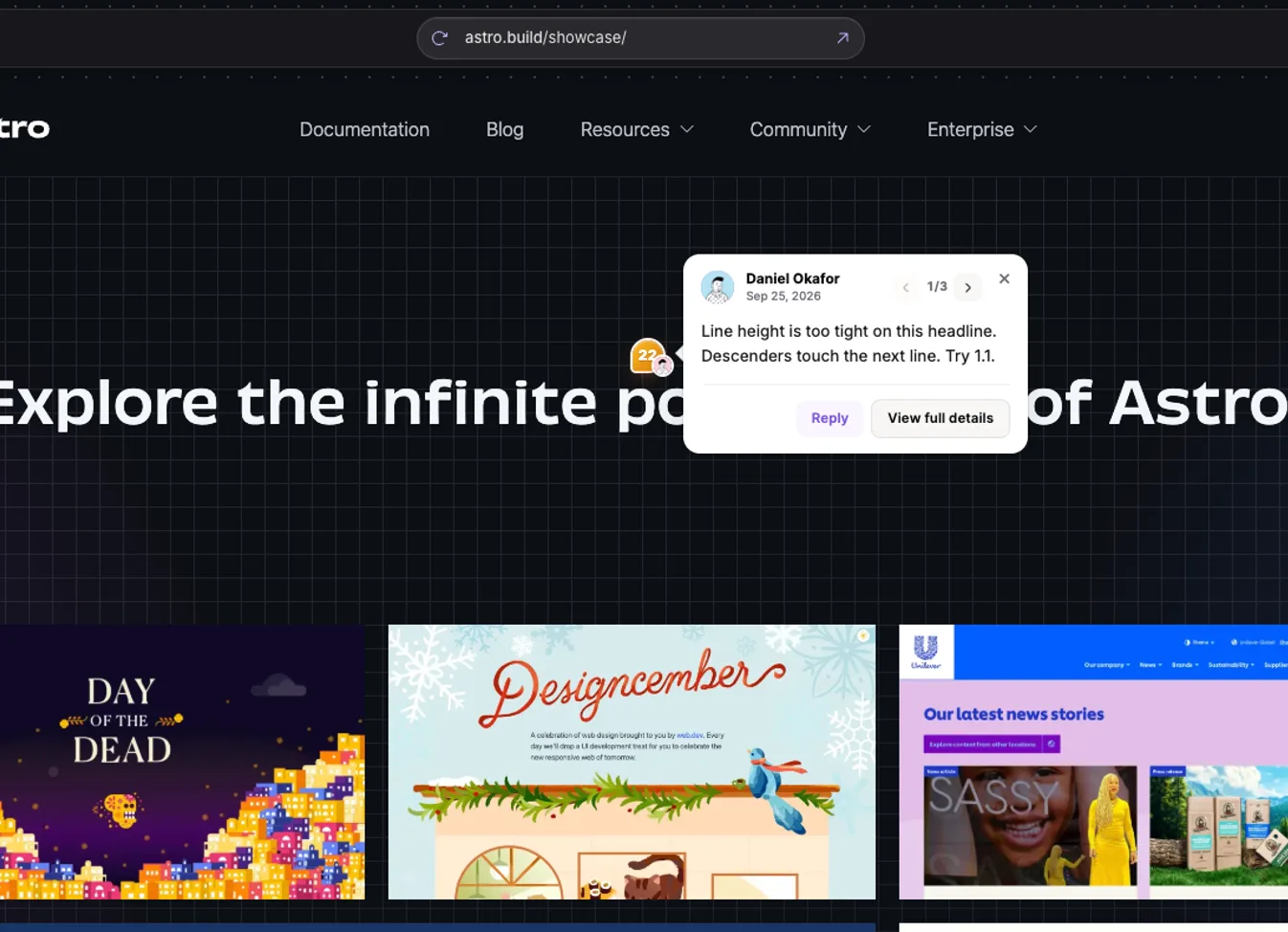
Pin feedback where the problem appears so everyone is looking at the same thing.
Everything you need to
move a website forward.
Bring feedback, capture, inspection, diagnostics, and drawing together in one browser workspace for teams and clients.
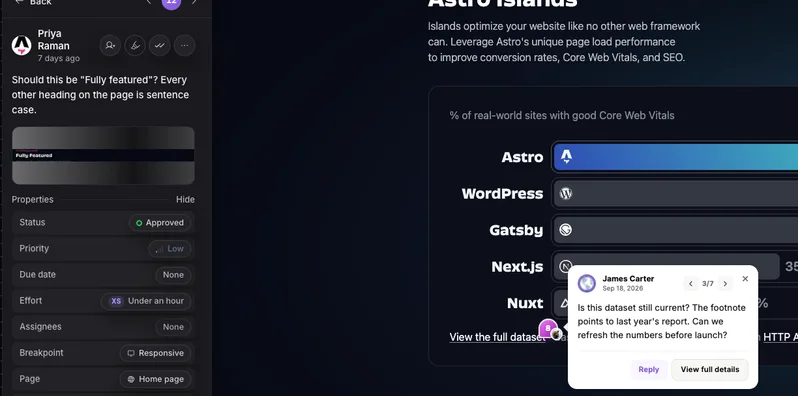
Pin feedback exactly where it belongs.
Leave comments on the page, keep the conversation attached to the work, and make every request easier to act on.
Try feedback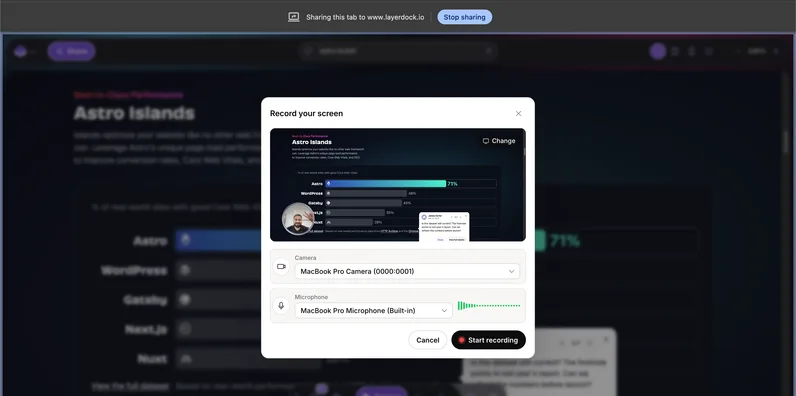
Show the issue instead of describing it.
Record video or audio when a comment is not enough. Give your team and clients the full story in a few seconds.
Record an issue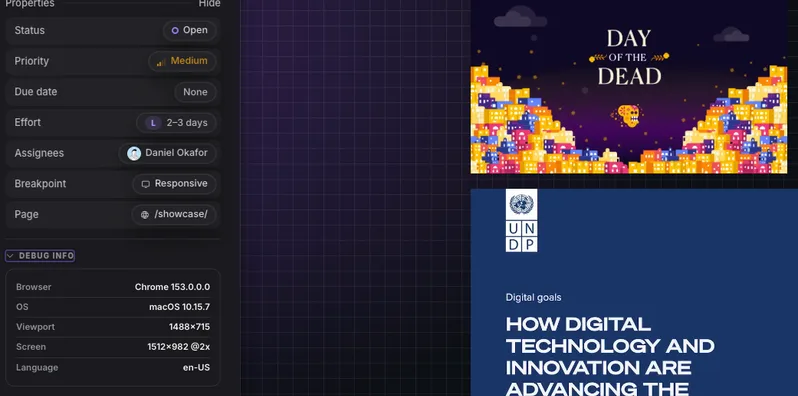
Bring the technical context with the feedback.
Include console logs and network logs so the person fixing the issue can start with the evidence they need.
Inspect diagnostics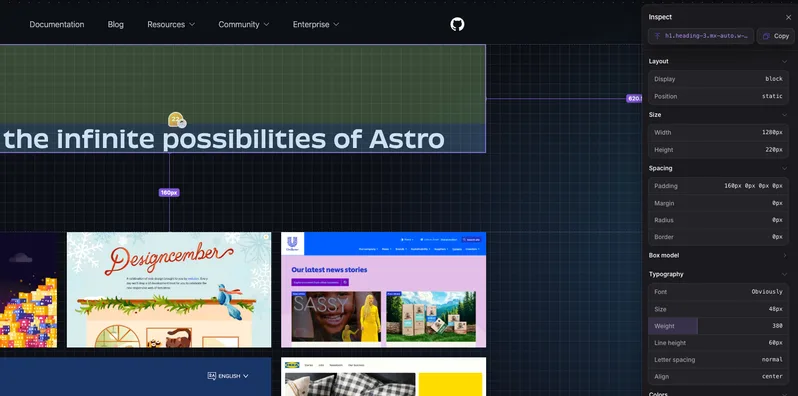
Inspect the page like a developer would.
Look under the hood of any element, highlight components, and preview other viewports without leaving the page.
Try Inspect mode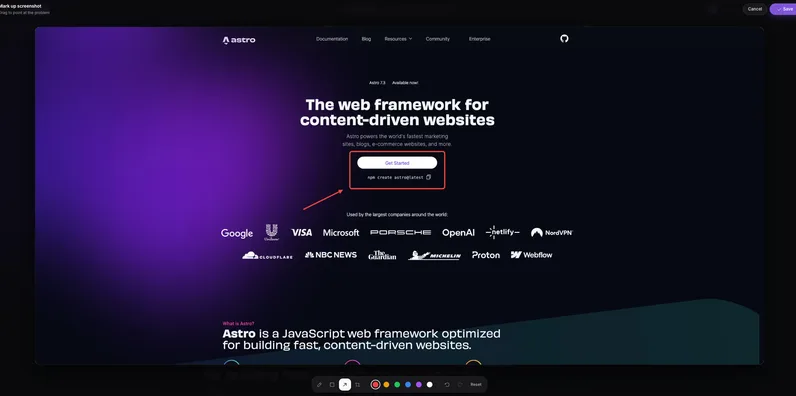
Circle the detail that matters.
Annotate screenshots and captured views with arrows, highlights, and notes before sharing them.
Annotate a view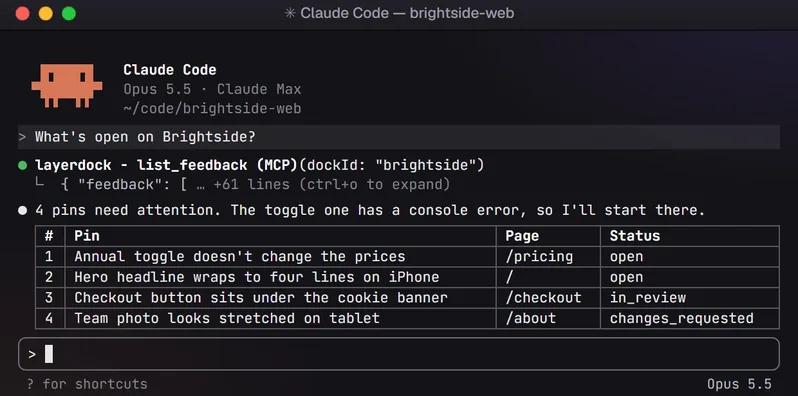
Give developers the full context.
Send feedback and technical context through your connected MCP, directly into your developer workflow.
MCP workflowBring clients into the
same feedback loop.
Bring your team and clients into one feedback loop. Clients review from a simple link, no account needed, so you can go from "this feels off" to a fix everyone agrees on.
From pin to ticket.
Send feedback to the tools your team already uses, with the context developers need.


Why I'm building LayerDock
Every team ships websites, but feedback on them still lives in screenshots, Slack threads, and "the button on the left, no, the other one."
Most tools bolt feedback on with an extension or a script. I wanted the review to happen where the work actually lives: in the browser, with pins, recordings, drawings, element inspection, and the technical detail a developer needs to fix it the first time.
It's early. Web app annotation is next. Try it, break it, and tell me what's missing.

Simple pricing.
No surprises.
Start free, then pick the plan that fits how your team works.
Free
Try Layerdock before you pay for it.
- 2 Docks
- Components highlighter
- Viewport switcher
Pro
For growing product teams
Everything in Free plus:
- 5 Docks
- Unlimited layers
- Unlimited feedback
- Client shareable review link on every dock
- Integrations (Slack, Jira, etc.)
- Feedback assignment and My Tasks
Agency
For teams handling multiple clients at once.
Everything in Pro plus:
- Unlimited Docks
- Console & network diagnostics on every pin
Make the next
website review easier.
Give your team and clients one clear place to see the issue, capture the context, and share the fix.
Frequently asked questions
What to know about LayerDock, privacy, and getting started.
What is LayerDock?
A website feedback tool. You share one link, your team and clients pin comments on the live site, and every pin arrives with a screenshot and the details a developer needs to fix it.
Do I need to install anything?
No. Reviewers open the link in their browser and start pinning. There is no browser extension and nothing to download, for you or for them.
Does the person leaving feedback need an account?
No. They open the share link, type a name and start pinning. Nothing to install, nothing to sign up for, and no password to reset three weeks later when the next round starts.
What can I do besides leave comments?
Record your screen with your voice, mark up a pin’s screenshot with a marker, box or arrow, inspect any element’s spacing and styles, switch between desktop, tablet and mobile widths, and send pins to Slack, Jira, Linear, GitHub, Trello, ClickUp or a coding agent. Screen recording and integrations are part of the paid plans.
Do I have to add code to my site?
Not for a public site. LayerDock loads the page and adds the pin tool itself, so there is no script tag and no code change, which is also why it works on a client site you have no deploy access to. A staging site behind a password, VPN or login is the exception: add the one-line LayerDock snippet there instead.
What is a Dock?
One site, one review workspace, one shareable link. Every round of feedback for that site lands in the same place, and a dock can hold multiple versions so you can review different builds without losing the earlier rounds. More on docks.
Which browsers does LayerDock work in?
Any modern desktop browser: Chrome, Safari, Firefox and Edge. There is nothing to install, so the reviewer opens the link in whatever browser they already use.
What gets captured with each pin?
A screenshot, the element it points at, the page URL, the browser and the viewport, plus the console errors and network requests from that moment. Reading the console and network logs is part of the Agency plan; they are captured on every plan, so upgrading reveals the full history.
What happens to pins when I redeploy?
Nothing. You never re-collect a round of feedback after shipping, and a client coming back to the same link finds their earlier pins where they left them rather than an empty page.
What does Inspect mode do?
Click any element on the page you are reviewing and Inspect mode shows its box model, spacing and computed styles, with distance guides to its neighbours. It is included on every plan, Free too.
How does the MCP integration work?
LayerDock ships an MCP server. Connect Claude Code, Cursor or another coding agent with one token, and it can list your docks, read each pin with its selector, screenshot and page URL, fix the issue, reply on the thread and resolve it. Setup guide.
Which tools does LayerDock integrate with?
Slack, Jira, Linear, GitHub, Trello and ClickUp, plus any coding agent that speaks MCP. Connect a dock once and every new pin, reply, status change and assignment is pushed through. Integrations are part of the paid plans.
Can I review web apps or pages behind a login?
A public page works from the link alone. For a page behind a password, VPN or login, add the one-line LayerDock snippet to that site and the review link loads it directly.
How is Layerdock different from BugHerd or Marker.io?
BugHerd has a built-in task board and Marker.io has deeper two-way Jira sync; if either is what you are buying, buy theirs. LayerDock is priced per workspace rather than per seat, and works on sites you cannot deploy code to. The comparisons and the 17-tool roundup list every price, read off each vendor’s own page.